Kako radi AI telefonska tajnica, korak po korak
Bez čarolije, bez tajni. Evo stvarnog lanca događaja od trenutka kad pozivatelj bira vaš broj do trenutka kad uredan sažetak stigne u vaš sandučić.
 Vunoon12 min čitanja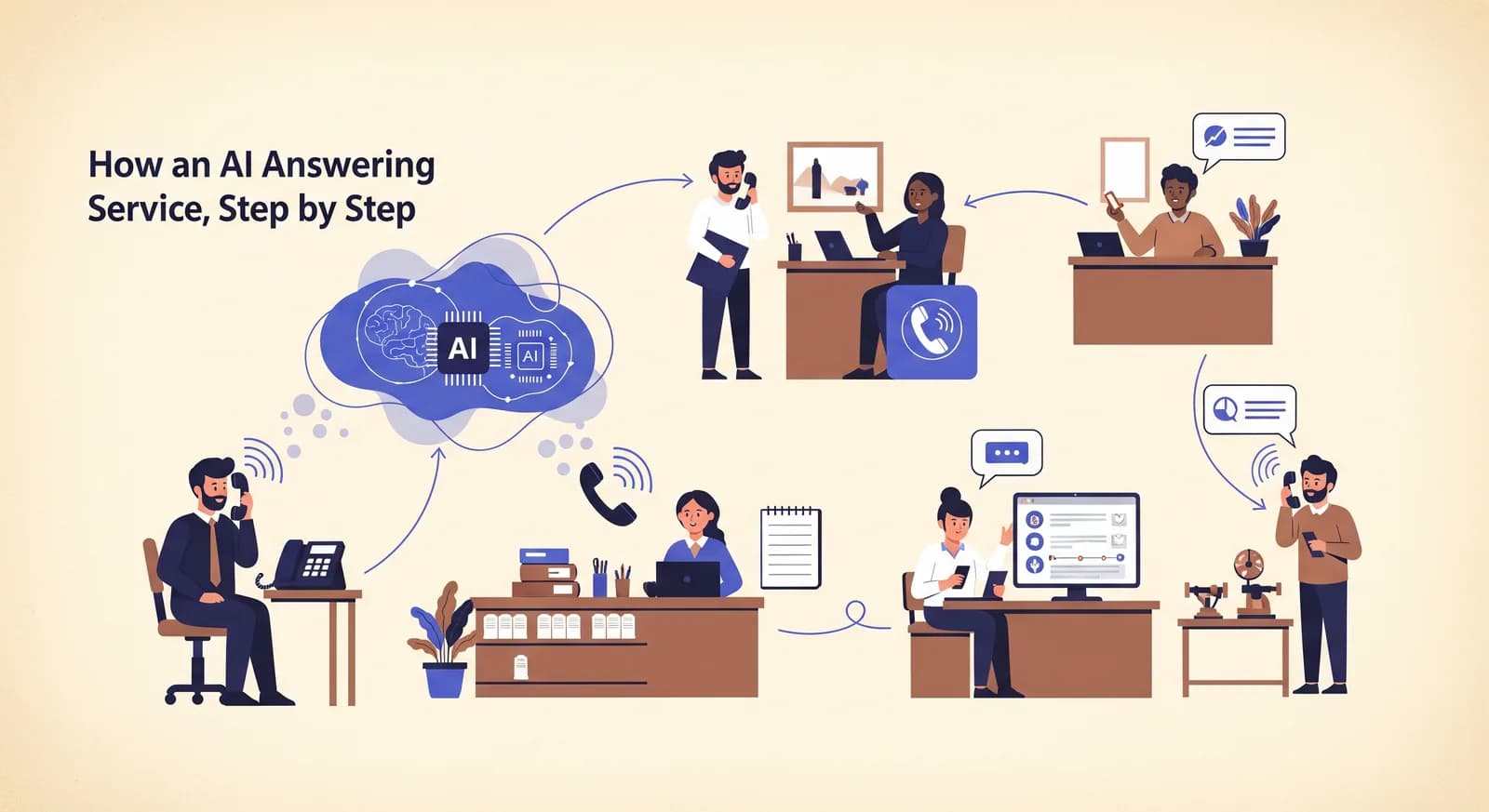
Preusmjerite svoju poslovnu liniju, netko nazove, i trideset sekundi kasnije u vašem sandučiću osvane rezervacija s cijelim transkriptom. Djeluje kao mađioničarski trik. Nije. AI telefonska tajnica lanac je običnih, dobro poznatih koraka, od kojih svaki obavlja jedan posao i predaje ga sljedećem. Ovo je taj lanac, objašnjen onako kako biste ga objasnili prijatelju uz kavu.
Većina članaka o ovome ili maše rukama ("AI razumije vaše pozivatelje!") ili vas utapa u žargonu o transformerima i tokenima. Ni jedno ni drugo ne pomaže vam da odlučite hoćete li toj stvari povjeriti svoj telefon. Zato ćemo napraviti nešto drukčije: proći ćemo cijeli put koji jedan poziv prijeđe, od trenutka kad zazvoni do trenutka kad pročitate sažetak, i biti iskreni oko toga gdje su šavovi.
Obilazak u 30 sekundi
Prije nego što zumiramo, evo cijele stvari u jednom dahu. Pozivatelj bira vaš broj. Vaš telefonski sustav preusmjeri taj poziv na AI uslugu umjesto da zazvoni na vašem stolu. AI se javi, pretvori govor pozivatelja u tekst, shvati što zapravo želi, odluči kako odgovoriti, pretvori svoj odgovor natrag u izgovoreni glas i govori. Ova se petlja ponavlja za svaki potez razgovora. Kad poziv završi, AI zapiše što se dogodilo i pošalje vam. To je to. Pet ili šest pokretnih dijelova, od kojih ćemo svaki sada rastaviti.
Razlog zašto to djeluje trenutačno jest to što su ti koraci brzi i preklapaju se. AI počinje transkribirati dok pozivatelj još govori i počinje oblikovati odgovor prije nego što je pozivatelj potpuno stao. Osobi na telefonu to djeluje kao normalan, iako pomalo strpljiv, razgovor.
Korak 1: poziv se preusmjerava
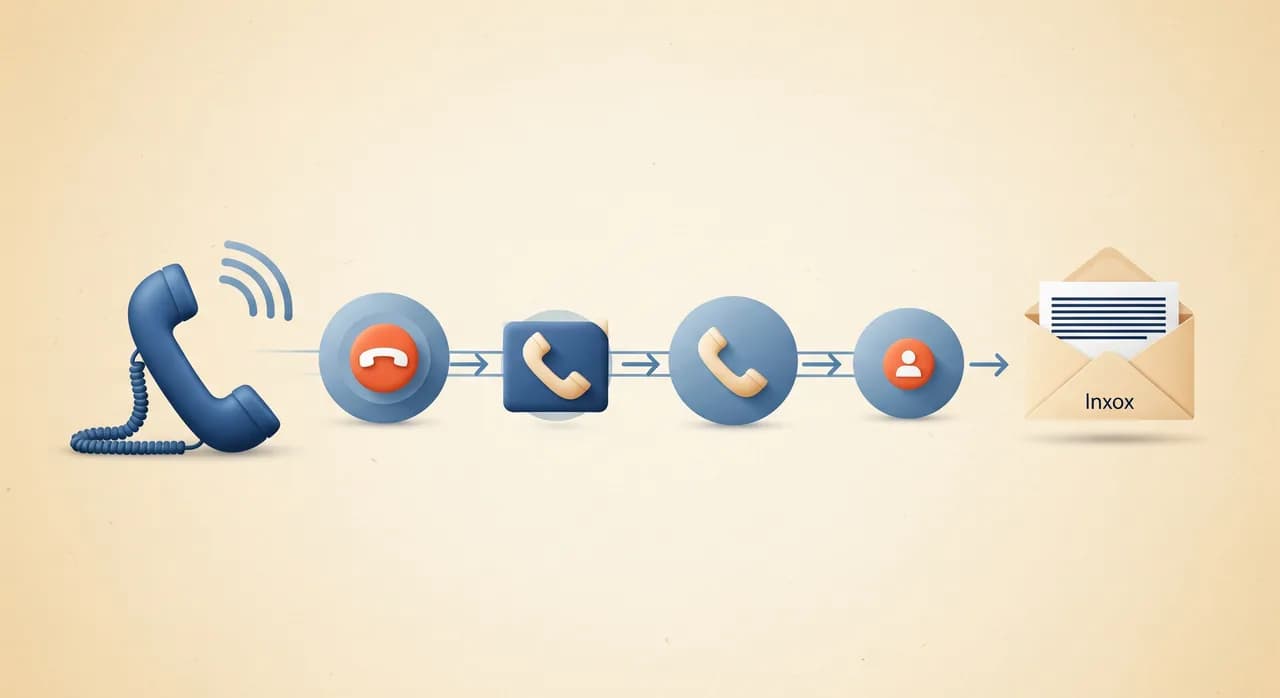
Ništa se u vezi s vašim telefonskim brojem ne mijenja. Zadržavate broj otisnut na svom kombiju, mrežnoj stranici i posjetnicama. Ono što se mijenja jedna je postavka kod vašeg telefonskog operatera: preusmjeravanje poziva. Kažete svom operateru: "kad je moja linija zauzeta, kad se ne javim nakon četiri zvona ili uvijek, prebaci poziv na ovaj drugi broj." Taj drugi broj pripada AI usluzi.
To je ista značajka koju već desetljećima koristite za preusmjeravanje poziva na mobitel. AI usluga vam jednostavno daje namjenski broj na koji ćete preusmjeravati. Budući da se preusmjeravanje događa na razini operatera, AI se može javiti bilo da ste zatvoreni, na drugom pozivu ili jednostavno ne želite da vas prekidaju dok ste do lakata u motoru.
- Uvijek preusmjeri — svaki poziv prvo ide na AI. Dobro za postavke samo izvan radnog vremena ili potpuno samostalne linije.
- Preusmjeri kad je zauzeto — AI hvata višak dok ste već na pozivu, tako da drugi pozivatelj nikad ne čuje zauzeti ton.
- Preusmjeri kad se ne javite — najprije zazvoni na vašem stolu; ako nitko ne podigne u nekoliko zvona, AI se javi umjesto da poziv propadne.
Korak 2: javljanje i slušanje
AI se javi i pusti pozdrav — obično onaj koji ste napisali pri postavljanju, nešto poput "Hvala što ste nazvali Dentalnu ordinaciju Maple Street, kako vam mogu pomoći?" Od tog trenutka radi dvije stvari istodobno: pušta zvuk pozivatelju i hvata zvuk koji dolazi natrag.
Dolazni zvuk samo je struja zvuka. Sam po sebi računalu ne znači ništa — to je tlak zraka pretvoren u brojeve. Sljedeći je posao pretvoriti taj zvuk u riječi, a taj posao ima ime koje je većina ljudi čula, a da nisu znali: prepoznavanje govora.
Korak 3: govor postaje tekst
Prepoznavanje govora, ili pretvaranje govora u tekst, dio je koji već svakodnevno koristite. To je ista skupina tehnologije iza gumba za diktiranje na vašem telefonu i automatskih titlova na videozapisima. Sluša zvuk i proizvodi napisan redak: "bok, ovaj, da, htio sam naručiti čišćenje za sljedeći utorak ako imate nešto slobodno poslijepodne."
Suvremeno prepoznavanje govora izvanredno je dobro, ali nije čarolija i pošteno je to reći. Nosi se s naglascima, pozadinskom bukom i ljudima koji utihnu usred rečenice daleko bolje od trapavih sustava "pritisnite 1 za prodaju" iz prošlosti. Muku muči upravo ondje gdje bi je mučio i čovjek: pozivatelj koji nadglasava puhač lišća, izrazito neobično prezime ili troje ljudi koji govore odjednom. Dobre usluge podešene su da zamole ponavljanje kad su nesigurne, umjesto da pogađaju i pogriješe.
Jedna suptilnost koju vrijedi znati: AI ne čeka da pozivatelj završi cijeli svoj govor prije nego što transkribira. Prenosi tekst kako riječi pristižu, pa je transkript, u trenutku kad netko prestane govoriti, u biti već gotov. To je velik dio razloga zašto odgovori dolaze tako brzo.
Korak 4: shvaćanje što misle
Sada AI ima redak teksta. Teški, zanimljivi dio pretvaranje je tog teksta u značenje — otkrivanje pozivateljeve namjere. Iz "mogu li premjestiti termin s četvrtka na petak?" mora shvatiti tri stvari: ovo je postojeći klijent, žele promijeniti termin, a cilj je petak. Iz "radite li s psima ili samo s mačkama?" mora prepoznati pitanje o tome koje usluge nudite i odgovoriti iz vašeg profila.
Ovdje veliki jezični model obavlja najteži posao — ista vrsta tehnologije iza asistenata o kojima ste čitali. Ali on ne odgovara iz zraka ni s cijelog interneta. Dobra telefonska tajnica daje modelu čvrst, privatan sažetak: profil vašeg poslovanja. Usluge koje ste naveli, vaše radno vrijeme, vaše cijene, vaša pravila, vašu adresu, pitanja koja vam najčešće postavljaju. Model razmišlja o riječima pozivatelja i tom sažetku zajedno.
“Inteligencija nije u tome da se zna sve. Ona je u tome da se poznaje vaše poslovanje i prizna kad se nešto ne zna.”
To utemeljenje cijela je igra. Zato AI može reći "radimo do šest radnim danom, a nedjeljom smo zatvoreni" — ne zato što je pogodio, nego zato što ste jednom to radno vrijeme upisali u čarobnjak. I zato bi, kad netko pita nešto izvan sažetka ("čuva li veterinar zečeve i preko noći?"), dobro izgrađena usluga trebala zapisati poruku umjesto da izmisli odgovor. Asistent koji izmišlja stvari gori je od nikakvog asistenta.
Korak 5: odlučivanje što učiniti
Razumijeti zahtjev jedno je; postupiti po njemu drugo je. Ovisno o namjeri, AI kreće jednim od nekoliko puteva. Odgovori na pitanje iz profila. Rezervira ili premjesti termin. Zapiše poruku s brojem za povratni poziv. Ili, kad pozivatelju očito treba čovjek, prikupi najvažnije i obeća da će vlasnik nazvati natrag.
- 1Odgovara izravnoZa sve što pokriva vaš profil — radno vrijeme, lokaciju, primate li klijente bez najave, što uključuje neka usluga — AI jednostavno kaže pozivatelju, u prirodnoj rečenici, bez ikakva izbornika.
- 2Rezervira ili premješta terminKad je namjera termin, prikuplja tko, što i kada, provjerava prema pravilima koja ste postavili i potvrđuje termin ili nudi alternative.
- 3Zapisuje porukuZa sve što ne može ili ne bi trebao rješavati — pritužbu, ponudu po mjeri, pitanje izvan vašeg profila — bilježi pojedinosti i broj pozivatelja kako biste se mogli javiti.
- 4Elegantno predaje pozivAko pozivatelj zatraži razgovor s čovjekom ili je situacija očito osjetljiva, ne izigrava zid. Zapiše poruku ili dogovori povratni poziv i ne pravi se da je osoba kad ga pitaju.
Korak 6: odgovaranje glasom
AI je odlučio što reći — ali dosad je ta odluka samo tekst. Posljednji korak petlje pretvara tekst natrag u glas koji pozivatelj može čuti. To je pretvaranje teksta u govor, i zrcalna je slika Koraka 3. Sintetizirani glasovi koji se danas koriste daleko su od plosnate, robotske jednoličnosti koje se sjećate; zastaju, dišu te se uspinju i spuštaju na način koji uglavnom zvuči kao osoba koja ima malo premiran dan.
Zatim se petlja zatvara. Pozivatelj čuje odgovor, odgovori, i cijeli ciklus — slušaj, transkribiraj, razumij, odluči, govori — ponovno se pokreće za sljedeći potez. Trominutni poziv može obići tu petlju desetak puta, a svaki prolaz traje sekundu ili dvije. Iz pozivateljeve perspektive to je samo razgovor. Ispod haube to je istih pet koraka, ponovljenih.
“Slušaj, transkribiraj, razumij, odluči, govori — pa opet. Razgovor je samo ta petlja, koja teče brzo.”
Korak 7: sažetak stiže u vaš sandučić
Kad poziv završi, pokreće se posljednji posao. AI ima cijeli transkript svega izrečenog, pa zapiše ono što je bilo važno: tko je nazvao, što je želio, što je dogovoreno i koja radnja ostaje na vama. Taj sažetak — uz sirovi transkript, a često i audiosnimku — stiže u vaš sandučić ili gdje god ste zatražili da vas se obavijesti.
Ovo je dio za koji nam vlasnici kažu da nisu očekivali da će ga zavoljeti. Ne preslušavate glasovne poruke i ne škrabate bilješke. Dobivate uredan sažetak: "Novi pacijent, želi čišćenje, preferira utorak poslijepodne, broj u evidenciji, rezervirano za 14. u 15 sati." Prelijetite ga za pet sekundi i idete dalje. Ništa ne propada kroz pukotine jer je sve zapisano i pretraživo.
Sve zajedno: jedan poziv, od početka do kraja
Popratimo jedan poziv od početka do kraja. Zamislite frizerski salon s dvije stolice, sredina poslijepodneva, obje frizerke zauzete. Pozivateljica želi rezervirati bojanje.
- Linija je zauzeta, pa operater preusmjeri poziv na AI broj.
- AI se javi: "Hvala što ste nazvali Bloom Studio, kako vam mogu pomoći?" i počne slušati.
- Pozivateljica kaže da bi željela termin za bojanje ove subote. Prepoznavanje govora to pretvara u tekst dok govori.
- AI iščita namjeru — nova rezervacija, usluga bojanja, subota — i provjeri profil salona za slobodne subotnje termine i koliko bojanje traje.
- Odluči ponuditi dva slobodna termina, pa ih izgovori natrag: "Imam slobodno u 10 ili 14 sati u subotu — što vam odgovara?"
- Pozivateljica odabere 14 sati te ostavi ime i broj. AI potvrdi i zaključi poziv.
- Nekoliko sekundi kasnije vlasnica dobiva sažetak: nova rezervacija bojanja, subota u 14 sati, ime i broj priloženi.
Cijela stvar trajala je manje od dvije minute, vlasnica nikad nije dotaknula telefon, a pozivateljica — koja bi inače možda spustila slušalicu na zauzeti ton i nazvala konkurenciju — rezervirana je. To je cijela vrijednost u jednom pozivu, a to je samo sedam gornjih koraka koji obavljaju svoj posao.
Gdje su šavovi (iskreni dio)
Nijedna tehnologija nije bešavna, a više ćete joj vjerovati ako znate gdje se može poderati. Vrlo bučni pozivi tjeraju prepoznavanje govora na veći napor i povremeno pogrešno čuju ime — zbog čega dobre postavke potvrđuju pojedinosti natrag pozivatelju. Vrlo neobične ili emotivne zahtjeve bolje je predati čovjeku, a dobro izgrađen asistent zna to učiniti umjesto da se muči i petlja.
Tu je i činjenica da AI zna samo ono što mu vi kažete. Šturi, napola dovršeni profil daje nejasne odgovore; bogat, s vašim stvarnim radnim vremenom i najčešćim pitanjima, daje precizne. Kvaliteta koju dobijete usko je vezana uz deset minuta koje potrošite opisujući svoje poslovanje. To nagrađuje malo pažnje na početku, i to je poštena razmjena.
Kako to zapravo postavljate
Kad znate mehaniku, postavljanje ima više smisla. Zapravo samo ispunjavate dvije stvari koje cjevovodu trebaju: sažetak iz kojeg AI razmišlja i pravilo preusmjeravanja koje mu šalje pozive.
- 1Opišite svoje poslovanjeKratki čarobnjak pita za vaše usluge, radno vrijeme, cijene, adresu i uobičajena pitanja. To postaje profil na kojem AI temelji svaki odgovor.
- 2Isprobajte ga pozivomNazovite svog novog asistenta i pokušajte ga zbuniti. Postavite nezgodna pitanja koja postavljaju vaši stvarni pozivatelji. Doradite profil dok odgovori ne budu točni.
- 3Preusmjerite svoj brojPostavite pravilo preusmjeravanja kod svog operatera — uvijek, kad je zauzeto ili kad se ne javite — usmjereno na AI broj. To je prekidač koji sve pokreće.
- 4Gledajte kako pristižu sažetciOd tada svaki obrađeni poziv postaje sažetak u vašem sandučiću. Dorađujte profil tijekom prvog tjedna i bit će sve precizniji.
Obično je potrebno nekoliko minuta da opišete poslovanje i trenutak da postavite pravilo preusmjeravanja. Nema hardvera, nema novog broja za oglašavanje i ničega za instalirati. Većina vlasnika najprije pokrene besplatno probno razdoblje, preusmjeravajući samo pozive izvan radnog vremena, prije nego što prepusti više.
Trebam li posebnu opremu ili novi telefonski sustav?
Hoće li pozivatelji znati da razgovaraju s AI-jem?
Što se dogodi ako AI ne može odgovoriti na pitanje?
Kako zna moje cijene i radno vrijeme?
Koliko brzo se javlja i može li obraditi dva poziva odjednom?
Na kojim jezicima radi?
Vidite cijelu petlju na djelu
Pročitajte cijeli vodič o tome kako Vunoon odgovara, razumije i sažima vaše pozive — pa ga isprobajte na vlastitoj liniji.
Pogledajte kako radi
Vunoon razvija AI telefonskog asistenta koji odgovara na pozive vaše tvrtke 0-24 — dogovara termine, odgovara na česta pitanja i šalje vam sažetak svakog razgovora.