Urgent or Routine? After-Hours Emergency Answering That Triages Calls
At midnight, a burst pipe and a quote request sound identical on your voicemail. Here's how a few triage questions separate the real emergency from everything that can wait until morning.
 Vunoon16 min read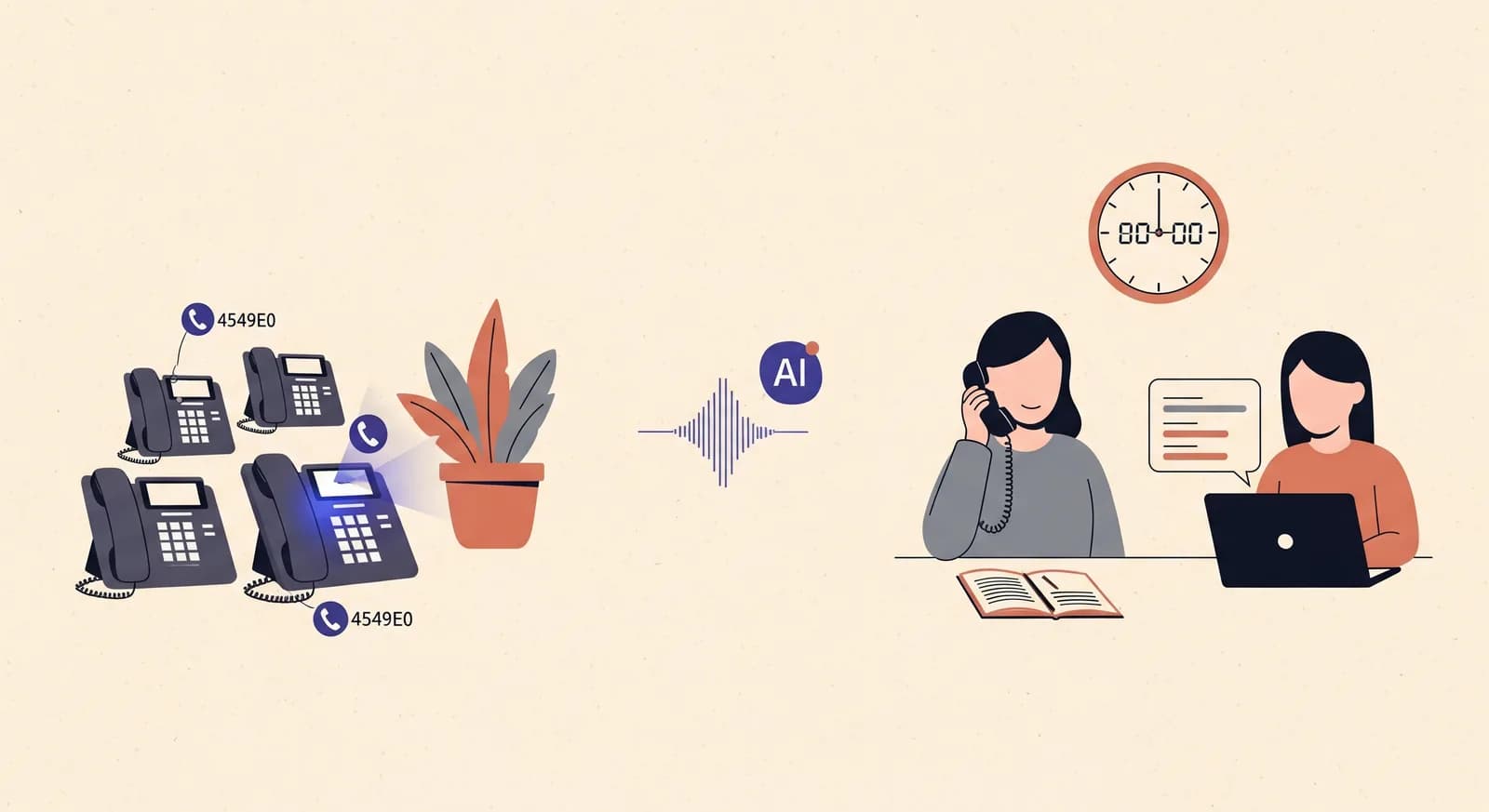
It's 12:40 a.m. Your phone buzzes. It might be water pouring through a ceiling, or it might be someone who found your number online and wants a ballpark price for repainting a hallway next spring. Both calls arrive on the same line, in the same tired voice, and both feel — to the person calling — like the most important thing in the world. The whole game of after-hours emergency answering is telling those two calls apart before you drag yourself out of bed.
Most small businesses solve this problem badly, and understandably so. You either answer everything (and burn out), answer nothing (and lose the genuine emergency), or route everything to voicemail and hope the caller is patient. None of those is triage. Triage means a real decision gets made about every call, at the moment it comes in — is this urgent enough to wake someone, or can it wait for a summary at 7 a.m.? This article is about how to make that decision reliably, whether a human or an AI phone assistant is the one asking the questions.
Two midnight calls that sound the same
Let's make this concrete. Imagine you run a small plumbing outfit — you, two vans, and a phone that never really goes off duty. Two calls come in after 11 p.m.
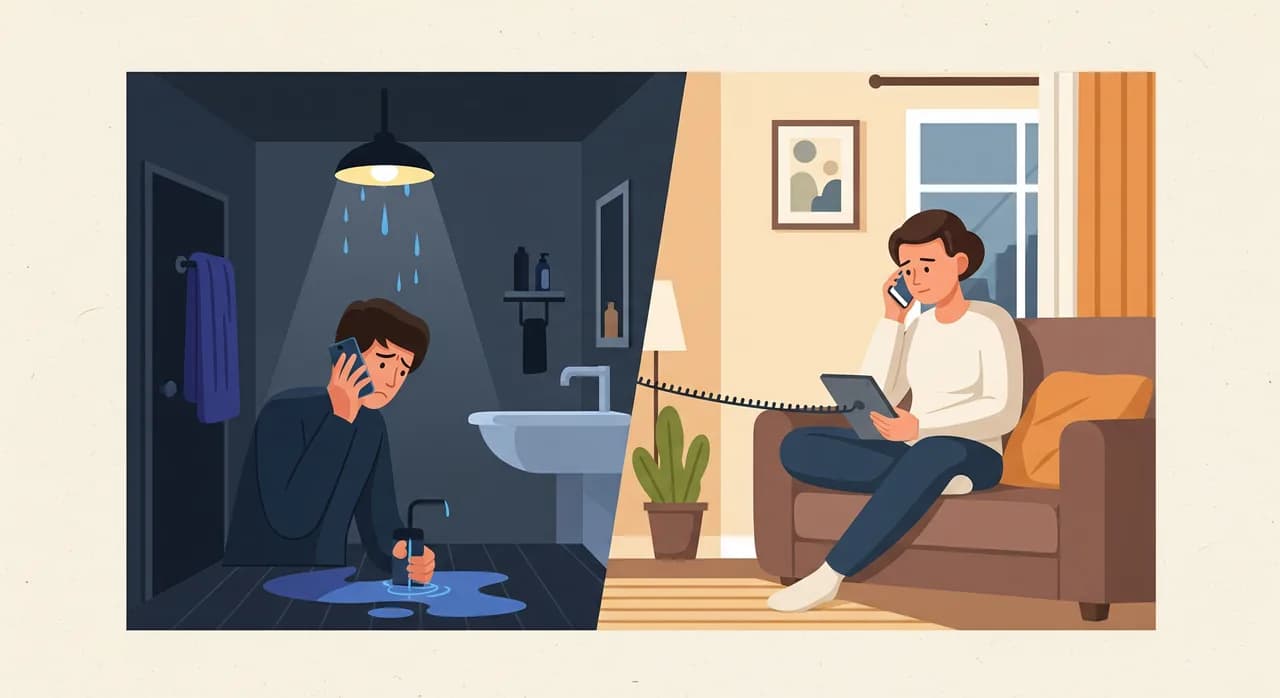
Call one: "There's water coming through the kitchen light fitting and I've turned the electricity off, I don't know where the stopcock is, it's getting worse." That's a true emergency. Property damage is actively happening, there may be a safety issue with the water-plus-electricity combination, and every ten minutes of delay costs the customer real money. This call needs a human on the phone, now.
Call two: "Hi, I saw your van in the neighbourhood — I'm thinking of getting my bathroom redone in a couple of months and wanted to know roughly what you'd charge." Also a phone call. Also, in the caller's mind, worth making right now because they happened to be thinking about it. But nothing is on fire, nothing is flooding, and this person will be perfectly happy to hear back from you tomorrow morning.
Here is the uncomfortable truth: on a voicemail greeting, both callers hear the same beep and leave the same kind of message. You wake up to two voicemails and have to guess which one mattered. Good triage removes the guessing by asking the right questions during the call, while the caller is still on the line and can answer them.
What triage actually is (and isn't)
Triage is a word borrowed from emergency medicine, where a nurse decides in seconds who gets seen first. The point isn't to solve every problem on the spot — it's to sort. For an after-hours phone line, the sort is simpler than a hospital's: essentially two buckets, with a narrow third in the middle.
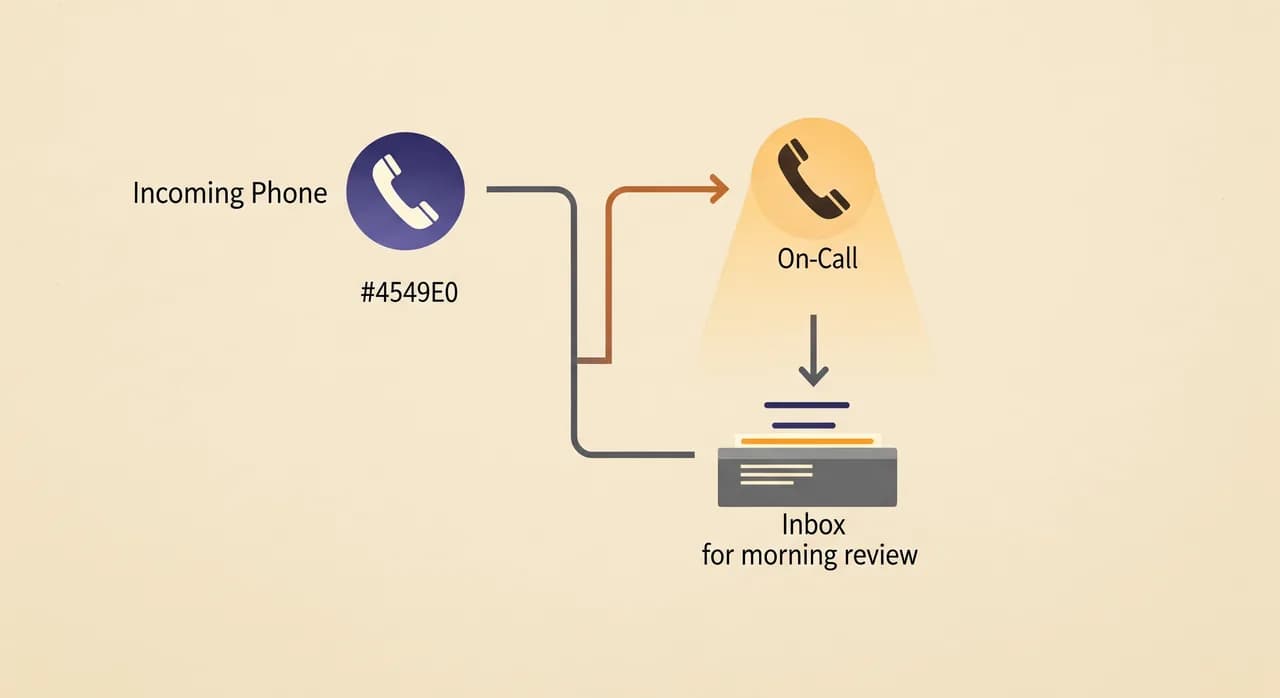
- Route now — a genuine emergency where delay causes real harm, damage, or safety risk. This gets forwarded to your on-call number or triggers a callback within minutes.
- Hold for morning — a routine request: a quote, a general question, a non-urgent booking. This gets captured cleanly and lands in your inbox as a summary, no one gets woken.
- Unsure — the caller can't or won't answer the triage questions, or the situation is ambiguous. When in doubt, treat it as urgent and route. A false alarm costs you a phone call; a missed real emergency costs you a customer and possibly a reputation.
Notice what triage is not. It's not a menu of nine options that ends in "press 4 to leave a message." It's not a promise to fix things over the phone. And it's not a filter that just makes callers feel dismissed. Done well, triage is respectful in both directions: the emergency caller gets real help fast, and the routine caller gets a calm, human-sounding acknowledgement instead of a dead beep.
The triage questions that do the sorting
The magic of after-hours triage isn't intelligence — it's a short, well-chosen set of questions that reliably separates the two buckets. You can write these down on an index card, and a well-configured assistant can ask them exactly the same way every single time, which is more than most sleepy humans manage at 1 a.m.
Good triage questions share three qualities. They're closed enough to sort (the answer points clearly to urgent or routine), concrete (they ask about the situation, not the caller's feelings about it), and fast (a stressed caller can answer in a sentence). Here's a starter set for a trades business — adapt the specifics to yours.
- 1"Is anything actively getting worse right now — water, gas, electrical, or a safety risk?"This is the single most powerful triage question. Active, ongoing damage or a safety hazard almost always means route-now. A problem that's stable — a tap that's been dripping for a week — usually doesn't.
- 2"Can this wait until we're open in the morning, or does it genuinely need someone tonight?"Ask the caller directly. Most honest people will tell you. Someone chasing a quote will say "oh no, morning's fine" the moment you ask. Someone standing in a flooding bathroom will not.
- 3"Is anyone at risk, or is a property being damaged as we speak?"The clarifier for the grey zone. It reframes the call around consequences rather than the caller's urgency, which is what you actually need to sort on.
- 4"What's the address and a number I can reach you on right now?"Asked of everyone, but it matters most for emergencies — the on-call tech needs it before they even call back. Capturing it up front saves a second round of phone tag.
Four questions. Under a minute. And by the end of them, the call has sorted itself into a bucket almost every time. The burst pipe answers "yes, getting worse," "needs someone tonight," "property being damaged." The quote-hunter answers "no," "morning's fine," "no one's at risk." You didn't need artificial intelligence to tell them apart — you needed to ask, which is exactly the thing a beep on a voicemail never does.
“A voicemail beep asks nothing. Triage is just the discipline of asking four good questions before you decide whether to wake someone up.”
Routing the real emergency without waking the whole team
Once a call is tagged urgent, the job becomes routing — getting it to the right person fast, without paging everyone you employ. This is where a lot of after-hours setups fall down. They either forward every call to the owner's mobile (so you're on duty forever) or they route through a rota so complicated that nobody's sure who's on-call this week.
A clean routing model has three moving parts. First, a single on-call number — one designated person or line that handles tonight's emergencies, rotated on whatever schedule you like. Second, a warm handoff: the caller is told, in plain language, "This sounds urgent — I'm connecting you to our on-call engineer now" or "I'll have them call you within a few minutes." Third, a fallback: if the on-call number doesn't pick up, the system tries a second contact rather than dropping the emergency into a void.
- Direct transfer — the assistant connects the caller straight to the on-call number while they're still on the line. Best for true, active emergencies where seconds count.
- Urgent callback — the assistant takes the details, then immediately alerts the on-call person by call and text so they can ring back within minutes. Slightly slower, but it protects the tech from a cold transfer and gives them the address up front.
- Escalation chain — if the first on-call contact doesn't answer within a set number of rings, the system tries the next person. This is the safety net that stops a real emergency from vanishing because one phone was on silent.
Holding the routine call so it still feels answered
Here's the part people forget: the routine caller matters too. The person asking for a quote at midnight is a potential customer. If your after-hours system snaps "we're closed, call back tomorrow," you've saved yourself a wake-up and lost a lead. The goal for routine calls is to capture, reassure, and schedule the follow-up — without pretending it's an emergency.
A good routine handling script does three things. It acknowledges the caller warmly and by name if it can. It captures the specifics — what they want, their contact details, any relevant notes — so you're not starting from scratch in the morning. And it sets a clear expectation: "We're closed right now, but I've got all your details and someone will call you first thing tomorrow." That last sentence is what turns a rejected call into a booked one.
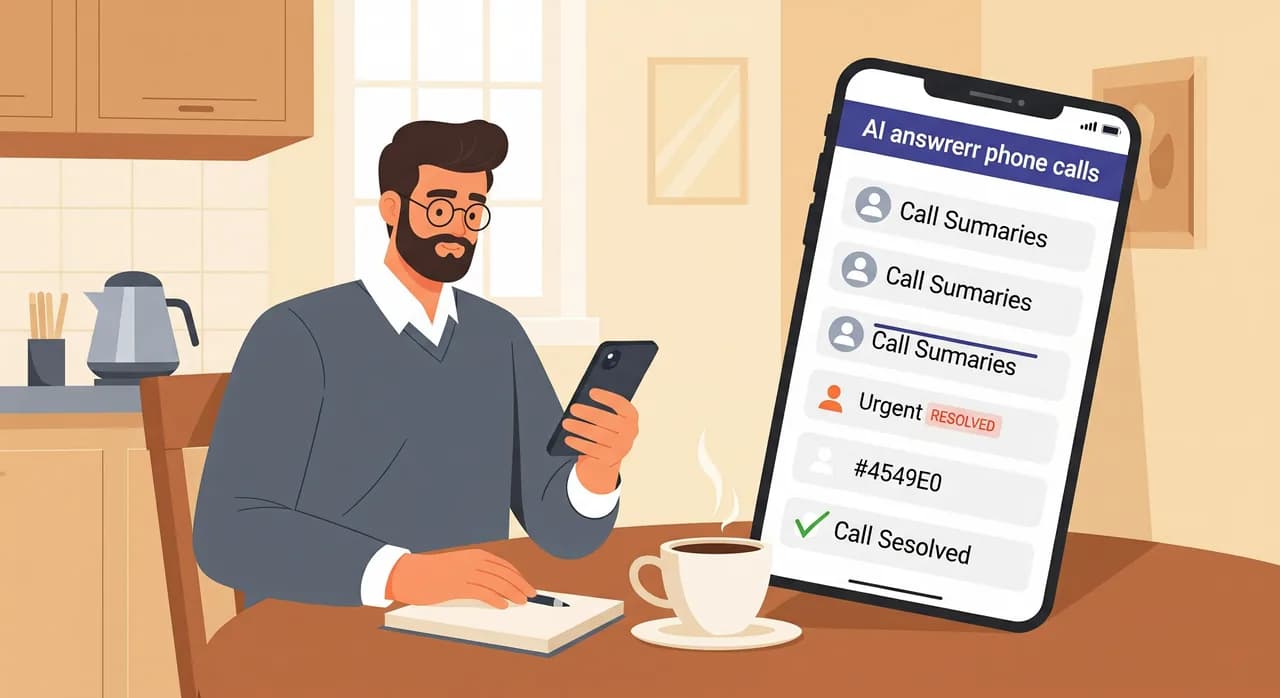
The output of a well-handled routine call is a tidy summary waiting in your inbox: caller name, number, what they asked, and a transcript if you want to check the nuance. You wake up, skim five of them over coffee, and knock out the callbacks in twenty minutes — instead of playing voicemail roulette and trying to remember which mumbled message was the important one.
“Triage isn't only about protecting your sleep. It's about making sure the routine caller feels answered, so tonight's quote request is still tomorrow's job.”
Where after-hours triage goes wrong
Triage systems fail in predictable ways, and knowing the failure modes helps you design around them. None of these are exotic — they're the everyday potholes that turn a good idea into a system nobody trusts.
Over-routing: everything becomes an emergency
If your triage is too twitchy — routing every call that sounds even slightly stressed — your on-call person stops trusting the alerts. After the third 2 a.m. "emergency" that turns out to be a dripping tap, they start ignoring the phone, and then a real flood slips through. Triage only works if the urgent bucket stays genuinely urgent. That's what the concrete questions are for: "getting worse right now," "property being damaged," not "the caller seemed anxious."
Under-routing: the real one gets held
The opposite failure is worse. A triage script that's too eager to defer things to morning will eventually hold a call that shouldn't have waited. This is why the ambiguity default has to point toward urgent, and why the questions ask about consequences (damage, safety) rather than about how the caller phrased things. A calm-sounding person can still be describing a genuine emergency.
Dead-ends: no fallback when the on-call phone is silent
The most infuriating failure is the one that isn't really about triage at all: the call was correctly tagged urgent, routed to the on-call number — and the on-call phone was face-down on a nightstand on silent. Without an escalation chain, that emergency evaporates. Always build a second-contact fallback, and make sure the caller is told what's happening so they're not left listening to hold music forever.
Human answering service vs. an AI phone assistant
Triage has traditionally meant hiring an answering service — a call centre where a person reads your script and forwards the urgent ones. That works, but it has real limits. The operator doesn't know your business, reads from a generic sheet, and costs add up per call and per minute. On a busy night, callers wait in a queue. And the quality varies with whoever happens to be on shift.
An AI phone assistant approaches the same job differently. It answers instantly, every time, with no queue and no bad-shift variance. It asks your exact triage questions in the same order at 2 a.m. as at 2 p.m. It already knows your business — your services, your hours, your on-call routing rule — because you configured it. And it produces a written summary and transcript of every call automatically, so nothing gets lost in a handwritten note. What it won't do is improvise beyond its brief, which for triage is a feature, not a bug: you want the after-hours line to sort and route, not to freelance.
| Capability | Voicemail | Human answering service | AI phone assistant |
|---|---|---|---|
| Asks triage questions live | No | Yes | Yes |
| Consistent script every call | N/A | Varies by operator | Identical every time |
| Knows your business specifics | N/A | Reads a generic sheet | Configured to your profile |
| Routes urgent to on-call number | No | Yes | Yes |
| Written summary + transcript | Message only | Sometimes | Every call, automatic |
| Instant answer, no queue | Instant, but useless | Depends on volume | Instant |
This isn't an argument that AI is always better — a genuinely complex, judgement-heavy line might still want a trained human. But for the specific, repeatable job of after-hours triage, where the whole task is asking four questions and routing the answer, an assistant that never gets tired and never skips a step has obvious appeal.
Setting up triage on your own line
If you're configuring an after-hours assistant like Vunoon to triage, the setup is less about technology and more about writing down decisions you already make in your head. Here's the practical sequence.
- 1Define your emergency in one sentenceWrite the single line that separates urgent from routine for your trade. "Active water, gas, electrical, or safety risk" for plumbing; a different line for a locksmith or an HVAC firm. This becomes the heart of your triage logic.
- 2Write your four triage questionsClosed, concrete, fast. Ask about consequences, not feelings. Include the address-and-callback-number question for everyone so the on-call tech always has what they need.
- 3Set the on-call number and escalation chainOne primary contact for tonight, plus a fallback if they don't answer. Decide whether urgent calls are transferred live or handled as an immediate callback.
- 4Write the routine script and the summary formatDecide what the assistant says to a non-emergency caller and what details it captures. Make sure every routine call lands in your inbox as a clean summary you can action over coffee.
- 5Test it by calling yourselfRing your own line and role-play both scenarios — the burst pipe and the quote request. Confirm the emergency routes and the routine one gets held and summarised. Tweak the questions until the sort is crisp, then forward your number.
The whole thing takes an evening to get right, and most of that evening is you deciding what "urgent" means for your business — a decision you've been making instinctively for years, now written down where a system can apply it consistently. If you want to see how the answering side fits together, our overview of after-hours answering walks through the day-to-night handoff in more depth.
The quiet math of a good night's sleep
Let's put a rough shape on the value. Say your after-hours line gets ten calls a week outside opening hours. Under the old regime — everything to your mobile — that's ten interruptions, most of which are quote-hunters and wrong numbers, and you're groggy for two of them the next day. Under triage, maybe one of those ten is a true emergency that reaches you. The other nine are captured, summarised, and dealt with at 7 a.m. in a single calm sitting.
That's nine fewer sleep interruptions a week, and — this is the part owners underestimate — zero missed genuine emergencies, because the one that mattered got routed instead of buried in voicemail alongside the nine that didn't. You also stop losing the routine leads, because a warm "we'll call you first thing" converts far better than a dead beep. Triage protects your sleep and your pipeline at the same time. That's the rare change that costs you nothing on either side of the ledger.
What is after-hours call triage?
How does the system tell an emergency from a routine call?
What happens to the calls that aren't emergencies?
What if the on-call person doesn't answer?
Can an AI phone assistant handle emergency triage safely?
Set up after-hours triage on your line tonight
Describe your business, write your triage questions, and test it by calling yourself — then forward your number and sleep through the routine calls. See how after-hours answering handles the day-to-night handoff.
See after-hours answering
Vunoon builds an AI phone assistant that answers your business calls 24/7 — it books appointments, answers common questions and sends you a summary of every conversation.