AI Receptionist: What It Is and How It Answers Your Calls
An AI receptionist is software that picks up your business phone, talks to callers in plain language, and handles the routine work a front desk normally does. Here's what it actually is, what happens when a call comes in, and where it fits alongside your team.
 Vunoon14 min read
Your phone rings while you're elbow-deep in a job, mid-appointment, or driving home. You let it go to voicemail. The caller hangs up and tries the next name on their list. That small, ordinary moment — repeated a few times a week — is exactly the gap an AI receptionist is built to close.
The term gets thrown around a lot, and it can sound like science fiction or marketing fluff. It's neither. An AI receptionist is software that answers your business phone, understands what the caller wants, and does something useful about it — books an appointment, answers a common question, or takes a message and passes it to you. This guide walks through what it actually is, what happens second-by-second when a call comes in, the jobs it can reasonably handle, and — just as importantly — the things it shouldn't be asked to do.
What an AI receptionist actually is
Strip away the jargon and an AI receptionist is a voice that answers your phone. When a call connects, the software greets the caller, listens to what they say, works out what they need, and responds — out loud, in a natural conversation, in real time. No menu of "press 1 for bookings, press 2 for hours." The caller just talks, the way they would to a person at your front desk.
Under the hood there are three pieces working together. Speech recognition turns the caller's words into text. A language model figures out what those words mean and decides how to respond, using a profile of your business — your services, your opening hours, the prices you've set, how you like to greet people. Then text-to-speech turns the reply back into a spoken voice. This loop repeats for every back-and-forth in the conversation, fast enough that it feels like talking to someone rather than waiting on a robot.
The key word is receptionist, not "chatbot with a voice." A good AI receptionist isn't reading from a rigid script. It can handle a caller who interrupts, changes their mind, mumbles a date, or asks three questions in one breath. And it's grounded in facts you control — it answers from what you told it about your business, not from whatever it thinks might be true.
Why it isn't voicemail, IVR, or a call centre
People often lump these together, but they solve different problems. Voicemail doesn't answer anything — it records the caller and hopes you listen back before they've booked elsewhere. IVR ("press 1 for sales") routes calls, but callers hate mazes and most zero out to reach a human anyway. A traditional answering service puts a live agent on the line, which works but costs a real hourly rate and the agent usually reads from a card and takes a message rather than actually resolving anything.
An AI receptionist sits in a different place. It answers immediately, holds a real conversation, and can complete the task on the spot — not just record that someone called. It doesn't get flustered by a full waiting room, doesn't put people on hold, and doesn't clock off at five. That's the distinction worth keeping in mind as you read on.
| Voicemail | IVR menu | Answering service | AI receptionist | |
|---|---|---|---|---|
| Answers instantly | No | Yes | Usually | Yes |
| Real conversation | No | No | Yes | Yes |
| Books / resolves on the call | No | No | Sometimes | Yes |
| Available 24/7 | Yes | Yes | Depends on plan | Yes |
| Cost pattern | Flat | Flat | Per hour / per call | Flat / usage |
What happens, step by step, when a call comes in
The clearest way to understand an AI receptionist is to follow a single call from the first ring to the summary that lands in your inbox. Here's the whole sequence for a typical inbound call.
- 1The call is answeredThe moment your line rings — or rings past a few seconds without you picking up — the AI answers. No queue, no hold music. It opens with the greeting you configured, in your business's name and tone.
- 2It listens and understandsThe caller speaks naturally: "Hi, do you have anything on Thursday afternoon?" The AI transcribes it and works out the intent — this is a booking request, for Thursday, in the afternoon.
- 3It answers from your profileIt checks what it knows about your business — your hours, your services, your availability rules — and responds with real information, not a guess. "We've got 2pm or 4:30 on Thursday. Which suits you?"
- 4It completes the taskIt books the slot, takes a message, answers the question, or captures the caller's details for a callback — whatever the conversation calls for. If it can't help, it says so plainly and offers to have you ring back.
- 5It wraps up and hands you the recordWhen the call ends, you get a summary and a full transcript: who called, what they wanted, what was agreed. Nothing falls through the cracks, and you're never guessing what was said.
The whole thing happens in the time it takes to have a short, ordinary phone call. The caller gets what they needed. You get a tidy record instead of a missed-call notification and a nagging feeling you should ring someone back.
“The point isn't that a robot answered. The point is that the caller got what they needed — and you didn't have to stop what you were doing to make it happen.”
The jobs an AI receptionist can handle
Not every call is the same, and a good AI receptionist isn't a one-trick tool. Most of what a front desk does over the phone falls into a handful of buckets, and this is where the software earns its keep. Three of them cover the vast majority of everyday calls.
Booking and managing appointments
For anyone who runs on a calendar — a clinic, a salon, a workshop, a studio — bookings are the bread and butter of inbound calls. The AI can offer available slots, take the details, confirm the appointment, and note it down. Imagine a two-chair hair salon at 6:30pm: the stylists are finishing clients, the phone rings with someone wanting a Saturday cut. Instead of a missed call and a lost booking, the slot gets filled while nobody had to put down their scissors. If you want to see this narrowly, appointment booking is often the single most valuable thing to automate first.
Answering the questions you get all day
A huge share of calls aren't complicated — they're the same few questions on repeat. "Are you open on Sunday?" "Do you take walk-ins?" "Where do I park?" "How much is a standard service?" These don't need you; they need an accurate answer. The AI pulls from the profile you set up and responds correctly every time, without you being interrupted to say the same thing for the tenth time that day.
Taking messages and capturing leads
When a call genuinely needs you — a detailed quote, a sensitive question, a new client with an unusual request — the AI does the sensible thing: it takes a clear message. Name, number, what they want, when they're reachable. For a new enquiry, that captured lead is money. A caller who reaches a friendly voice and leaves their details is far more likely to still be a customer tomorrow than one who hit voicemail and moved on.
Where it fits alongside you and your team
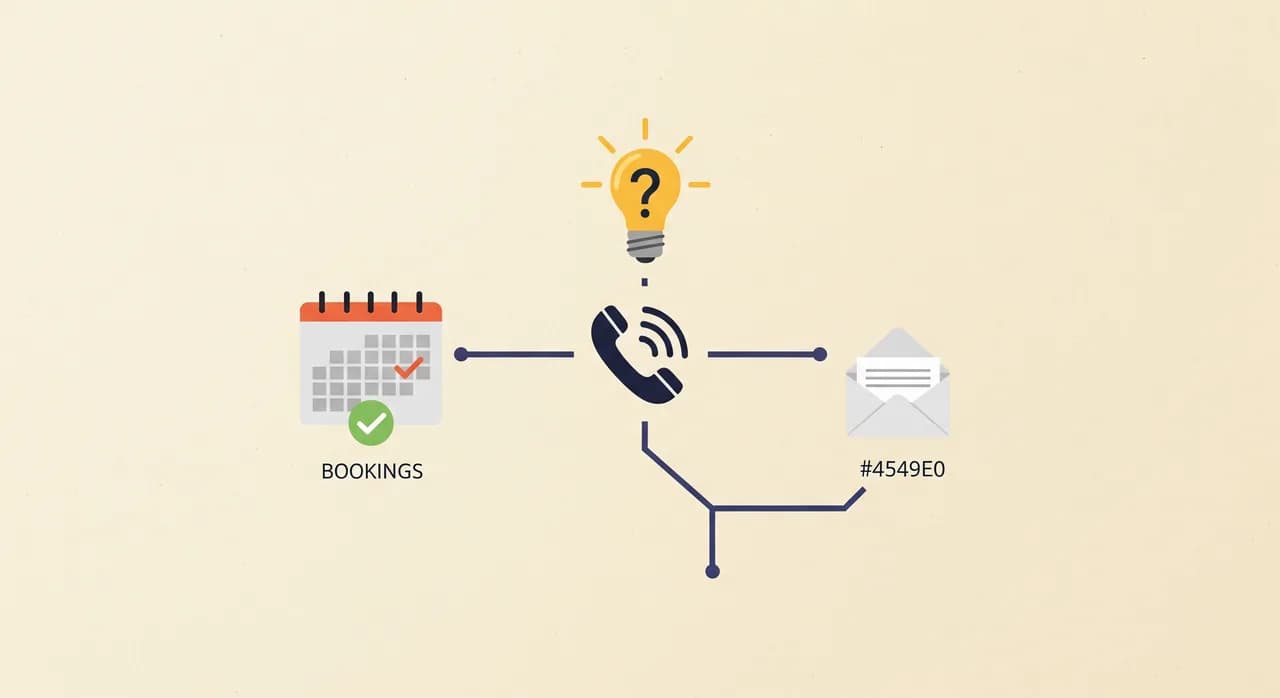
Here's where the honest part matters. An AI receptionist is not a replacement for you or your staff, and any vendor telling you otherwise is overselling. Think of it as the layer that catches the calls a human can't get to — the after-hours ring, the second call while you're already on the phone, the lunchtime rush when nobody's at the desk. It handles the routine so your people can spend their attention where it counts.
Most small businesses don't have a receptionist at all. The "front desk" is whoever happens to be free, which usually means the owner. In that setup the AI isn't taking a job away — it's doing work that currently doesn't get done, because there's nobody free to do it. The calls that used to vanish now get answered.
And when a call is beyond it, a well-built AI receptionist hands off gracefully. It doesn't dig in and pretend to know something it doesn't. It offers a callback, takes a message, or tells the caller when a person will be available. That graceful failure is a feature, not a flaw — you want a tool that knows its limits.
The things it shouldn't be asked to do
A guide that only lists upsides isn't much use. Knowing the edges makes you better at using the tool. There are calls an AI receptionist should hand straight to a human, and any honest setup draws those lines clearly.
- Anything requiring professional judgement. Medical, legal, or financial advice belongs with a qualified person. The AI can book the appointment; it shouldn't diagnose the problem.
- Genuinely upset or urgent callers. When someone is distressed or the situation is an emergency, the right move is a fast, clear route to a human — not a chat.
- High-stakes negotiations. A complex quote, a delicate complaint, a big new contract — capture the details and get them to you. Don't let software close what needs a person.
- Pretending to be human. A trustworthy AI receptionist is honest about what it is when a caller asks. Deception costs you far more goodwill than it ever saves.
The quiet cost of a missed call
It's easy to shrug off a missed call. One call, no big deal. But run the arithmetic on your own week. Say you miss ten calls — a modest number for a busy small business. If even a few of those callers were ready to book, and each booking is worth a real chunk of revenue, the missed calls add up to a meaningful number by month's end. Now double it for the callers who never leave a voicemail and simply ring your competitor instead.
The frustrating part is that these losses are invisible. There's no line on your books for "revenue that called and got voicemail." You never meet the customer you didn't win. An AI receptionist makes that invisible cost visible — every answered call shows up as a summary in your inbox — and, more to the point, it stops the leak in the first place.
“There's no line in your accounts for the customer who called, got voicemail, and rang someone else. That's exactly why the loss is so easy to ignore — and so worth fixing.”
How hard is it to actually set up?
This is the question that stops most owners: it sounds like something that needs an IT department. It doesn't. A modern AI receptionist is built to be set up by the person who runs the business, in minutes, without a technical background. The shape of it is simple.
- 1Sign up and describe your businessA short wizard asks the essentials: what you do, your hours, your services, how you want callers greeted. This becomes the profile the AI answers from.
- 2Test it by talking to itBefore it ever touches a real caller, you can ring it yourself and have a conversation. Ask it awkward questions. Tweak the answers until it sounds like your business.
- 3Forward your numberWhen you're happy, point your existing business line at it — all calls, or just the ones you can't get to. That's the switch that turns missed calls into answered ones.
There's no new hardware, no new phone number to advertise, no rewiring. Your number stays your number. And because Vunoon works in 25+ languages, it can greet and understand callers in the languages your customers actually speak — useful in any town where not everyone rings in English.

Is an AI receptionist right for your business?
Not every business needs one, and it's worth being straight about that. If your phone barely rings, or every call genuinely needs your personal judgement, the case is weaker. But those businesses are the exception. Here's a quick gut-check: an AI receptionist tends to pay off when several of these ring true for you.
- You miss calls regularly because you're busy doing the actual work.
- A lot of your calls are bookings or the same handful of questions.
- Callers ring outside your working hours and you'd like to catch them.
- You lose enquiries to voicemail — people who never call back.
- You'd hire a receptionist if the numbers worked, but they don't quite.
- Your customers speak more than one language.
If you nodded at three or more of those, the honest answer is: it's probably worth an afternoon of your time to try. Because it's self-serve and there's a free trial, the cost of finding out is small — you set it up, talk to it, and decide whether it earns its place. That's a far lower bar than hiring, training, and hoping.
What is an AI receptionist in simple terms?
How is an AI receptionist different from voicemail or an answering machine?
Will callers know they're talking to an AI?
Can an AI receptionist book appointments on its own?
Does an AI receptionist replace my staff?
How long does it take to set up?
The best way to understand it is to talk to one
You can read a hundred explanations, but a phone call is a thing you experience. The quickest way to know whether an AI receptionist fits your business is to set one up, ring it yourself, and hear how it handles the kind of calls you get every day. It takes an afternoon, and you'll know far more than any guide can tell you.
Hear your AI receptionist answer the phone
Set up Vunoon in minutes, describe your business, and call it yourself before a single customer does. Then forward your number when it sounds right.
See how it works
Vunoon builds an AI phone assistant that answers your business calls 24/7 — it books appointments, answers common questions and sends you a summary of every conversation.