AI секретар за дентални кабинети: практическо ръководство
Рецепцията на денталния кабинет по своята природа е шумна, постоянно прекъсвана и недостатъчно обезпечена с хора. Ето как AI секретарят реално се вписва в дентална практика — напомняния, записване за хигиена, насочване на обаждания за зъбобол и въпроси за застраховки — без излишния шум.
 Vunoon15 мин четене
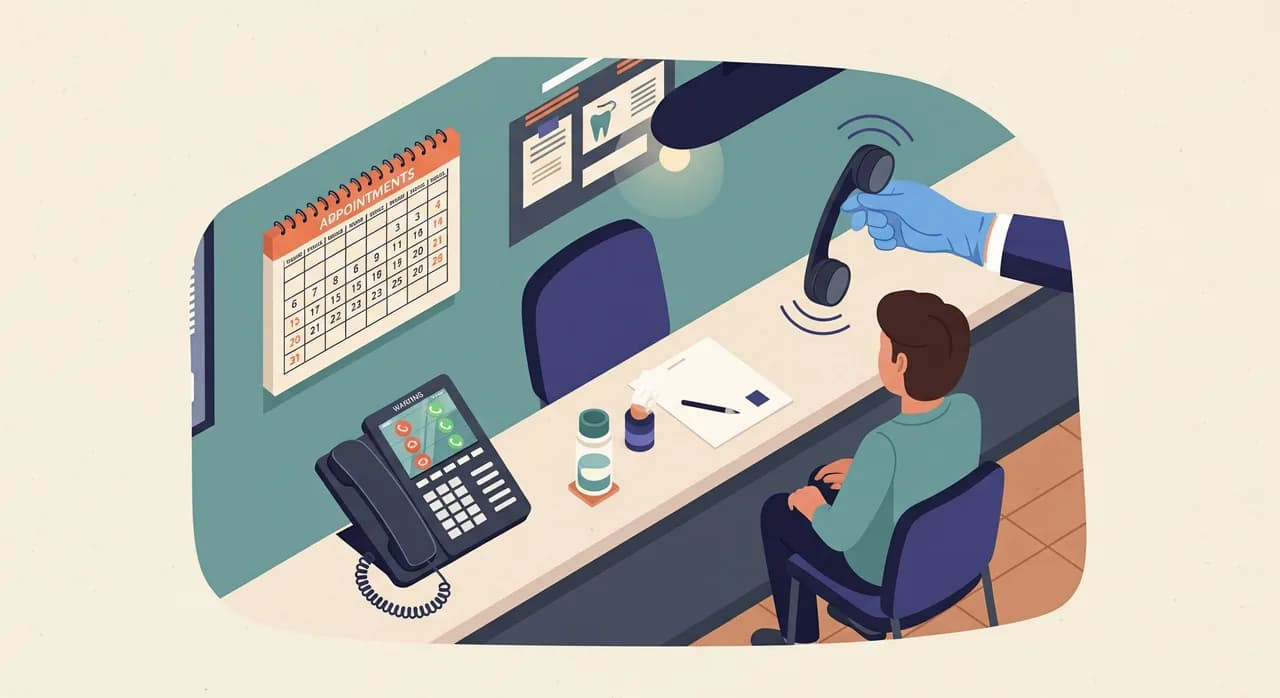
Телефонът на рецепцията в дентален кабинет е един от най-трудните за добро обслужване в малкия бизнес. Линията звъни, докато човекът, който би вдигнал, е до стола, с ръкавици, държейки аспиратора. Това не е провал в обезпечаването с персонал — това е самата форма на работата. AI секретарят за дентални кабинети не е за замяна на този човек. Той е за отговаряне на обажданията, на които и без това никога нямаше да бъде отговорено.
Това ръководство е написано за собственик на практика, а не за ИТ отдел. То преминава през това какво реално носи денталният телефон за един ден — напомняния, записване за хигиена, запитвания от нови пациенти, обаждания за зъбобол, въпроси за застраховки — и показва къде AI секретарят си оправдава мястото и къде трябва да предаде на човек. Никаква магия, никакви обещания за приходи. Просто конкретна настройка за практика с два, три или пет стола, на която ѝ е омръзнала гласовата поща, пълна с прекъснати обаждания.
Защо денталният телефон е различен
При повечето малки бизнеси телефонът звъни, когато е тихо, и мълчи, когато е натоварено. При денталния кабинет е обратното. Телефонът е най-натоварен точно в моментите, когато екипът най-малко може да отговори: късно сутрин, когато работят три стола, или в понеделник след уикенд, в който хората са се мъчили с пукнат кътник. Резултатът е предсказуем модел — обажданията идват на групи и рецепцията, съвсем правилно, първо се грижи за хората пред себе си, докато линията отива на гласова поща.
Обажданията, които се губят, не са боклук. Пропуснато обаждане за напомняне е час за хигиена, който тихо не се презаписва. Пропуснато обаждане от нов пациент е човек, който набира следващата практика от списъка, преди изобщо да сте узнали за съществуването му. А обаждане за зъбобол в 19 ч. е човек с истинска болка, който решава дали да продължи да ви чака, или да кара към спешен кабинет. Никой от тях не оставя надеждно съобщение на гласовата поща. Повечето просто затварят и опитват някой друг.
Затова честният въпрос не е „може ли софтуерът да е толкова добър, колкото рецепцията ми?“. Той е „какво се случва с третия едновременен обаждащ се и с онзи, който звъни в 20 ч.?“. В момента отговорът обикновено е нищо. AI секретарят променя отговора точно за този дял от обажданията — препълването и извънработното време — без да засяга човешката връзка на рецепцията.
Какво носи денталният телефон за един ден
Преди да настройвате каквото и да е, помага да назовете този трафик. Ако прослушате обратно един типичен ден, денталният телефон носи шепа повтарящи се типове обаждания и всеки от тях иска малко различен отговор.
- Напомняне и хигиена. „Казахте, че ми е дошло време за почистване“ — често най-голямата отделна категория и тази, най-свързана с дългосрочното здраве на практиката.
- Записване и пренасрочване. Нови пациенти, съществуващи пациенти, местещи час, и безкрайното „имате ли нещо по-рано?“.
- Зъбобол и спешна болка. Малък обем, високи залози, емоционално натоварено и често извън работно време.
- Въпроси за застраховки и разходи. „Приемате ли моята каса?“, „колко струва коронка?“, „покрит ли е прегледът?“
- Логистика. Работно време, паркинг, адрес, закъснение, „може ли да донеса картона на детето?“.
- Доставчици и спам. Обажданията, които бихте искали да спрат напълно.
AI секретарят не бива да третира и шестте по един и същ начин. Обажданията за логистика и базова застрахователна допустимост често може да затвори сам. Обажданията за записване може да поеме, като приеме заявката и потвърди, или като запише директно, ако го свържете с календара си. Обажданията за зъбобол са там, където преценката има най-голямо значение — и където добре настроен асистент прави единственото нещо, което гласовата поща никога не прави: остава на линията, събира правилните детайли и бързо включва човек.
Напомняне и хигиена: тихите пари
Напомнянето за хигиена е най-недраматичното нещо в този списък и вероятно най-ценното. Пациент за профилактика, който идва два пъти годишно, е гръбнакът на стабилната практика, и всеки, който се отдалечи, го прави мълчаливо — не се обаждат да прекратят връзката си, просто спират да вдигат, когато им звъните.
Ето асиметрията, която AI секретарят поправя. Когато рецепцията ви звъни на пациенти за шестмесечното им напомняне, половината не вдигат — на работа са, шофират, на среща. Затова се обаждат обратно по-късно, а по-късно е в натоварените ви часове, и сега това обратно обаждане пада в купчината на гласовата поща. Човекът, който беше готов да си запише почистване, се отказва. Асистентът улавя точно това обратно обаждане. Той знае, че практиката предлага часове за хигиена, знае работното ви време и може или да запише часа, или да регистрира заявката за потвърждение от рецепцията — в 18:40 ч., когато кабинетът е тъмен.
“Пациентът за напомняне не напуска практиката ви с обаждане. Напуска, като не отговаря на вашето, а после затваря на гласовата ви поща.”
Направете сметката по възможно най-скучния начин. Ако десет обратни обаждания за напомняне седмично попадат на мъртва гласова поща и дори три от тях биха си записали хигиена, това са три часа седмично, които просто се изпаряват. Не защото екипът ви е сгрешил нещо — а защото телефонът може да е само на едно място наведнъж. Върнете половината и сте изплатили доста софтуер.
Насочване при зъбобол: правилната формулировка
Това е разделът, който изнервя собствениците, и с право. AI секретарят не бива — а добре изграденият не го прави — да дава клинични съвети. Никога не бива да казва на обаждащия се дали болката му е сериозна, какво да вземе или дали да чака до сутринта. Това е граница, която не прекрачвате, и трябва да сте подозрителни към всеки инструмент, който се преструва на друго.
Това, което може да прави, е да се държи като спокоен, компетентен човек, който вдига телефона: да признае обаждащия се, да събере фактите, които зъболекарят ще иска, и бързо да предаде съобщението на човек. Целта е насочване чрез маршрутизиране, а не насочване чрез диагноза. Формулировката има значение, затова си струва да я напишете целенасочено в профила си.
- 1Признайте и успокойте за процеса„Съжалявам, че ви боли — нека взема няколко детайла, за да може практиката бързо да се свърже с вас.“ Никаква оценка на тежестта, само ясно обещание за следваща стъпка.
- 2Съберете детайлите, които зъболекарят и без това ще попитаИме, номер за обратно обаждане, кога е започнала болката, има ли подуване, някаква травма или паднала пломба/коронка и дали са съществуващ пациент. Това е логистика, не диагноза.
- 3Дайте честната инструкция за извън работно времеАко е извън работното време, асистентът заявява реалната ви политика — например „практиката отваря в 8 ч. и ще ви се обади първото нещо“ — и, ако желаете, насочва към спешна помощ при тежки симптоми с ваши предварително написани думи. Вие контролирате това изречение; AI го чете, не го измисля.
- 4Ескалирайте незабавноИзпратете на собственика или дежурния зъболекар резюмето и стенограмата веднага, маркирани като спешни, за да може човек да реши дали да се обади довечера, или сутринта.
Направено така, обаждащият се за зъбобол в 21 ч. получава нещо, което никога не е получавал от гласовата поща: истинско взаимодействие, ясно очакване кога ще се свържете и увереността, че вече имате детайлите му. Само това спира значителен дял от тях да карат към спешното или да звъннат на конкурент от отчаяние.
Въпроси за застраховки и разходи без излишни обещания
„Приемате ли моята застраховка?“ е едно от най-честите обаждания, които дентален кабинет получава, и едно от най-досадните за рецепцията да отговаря по двадесет пъти на ден. То е и рисково за лоша автоматизация, защото покритието е специфично и грешката бързо руши доверието.
Разумното разделение е следното: оставете асистента да отговаря на общите, устойчиви факти, които настройвате, и да предава специфичните въпроси за допустимост. Така той може уверено да каже с кои каси или мрежи работите директно, дали предлагате разсрочено плащане и как приблизително протича преглед на нов пациент — защото сте въвели тези факти в профила. Това, което не бива да прави, е да посочва точна сума за доплащане за конкретна коронка по конкретна каса или да потвърждава покритие, което реално не може да провери. За тях взема детайлите и ги маршрутизира към човека, който може да провери.
- Безопасно за отговаряне: кои каси приемате, дали работите директно, общи ценови диапазони, които сте публикували, опции за финансиране, какво включва първото посещение.
- Насочи към човек: точно покритие за назована процедура, оставащи годишни лимити, статус на предварително одобрение, всичко, изискващо справка в портал.
- Никога: да отгатва сума, за да звучи полезно. „Нямам тази точна цифра, но ще накарам някой да я потвърди и ще ви се обадим“ печели всеки път пред уверено грешния отговор.
Честността тук е функция. Обаждащ се, на когото ясно се казва „това не мога да го проверя, но ще го проверя“, се доверява на практиката повече от онзи, на когото са дали грешна оценка, гръмнала на каса. Настройте асистента да е рецепционистът, който знае точно какво знае — и признава какво не знае.
Настройката: практическа обиколка
Настройването на това не е проект. Това е кратка сесия в съветник, в който описвате практиката си, тестово обаждане, за да чуете как звучи, и решение кои обаждания пренасочвате. Ето последователността, която работи конкретно за дентален кабинет.
- 1Опишете практикатаИме, работно време, адрес, паркинг, дали приемате деца, говорими езици и списъка с услуги. За дентален кабинет тук изброявате прегледи, почиствания, избелване, коронки и спешни случаи — за да ги разпознава асистентът, когато обаждащите се ги назоват.
- 2Задайте правилата за записванеКакви типове часове съществуват, колко траят и дали асистентът да записва директно в календара ви, или просто да улавя заявката за потвърждение от рецепцията. Много практики започват с улавяне-и-потвърждение и минават към директно записване, щом му се доверят.
- 3Напишете чувствителните скриптовеВашата формулировка за зъбобол/извън работно време и границите ви за застраховки. Това са двете места, където искате точно вашите думи, а не генерирани. Десет минути тук спестяват много колебания после.
- 4Тествайте го, като му се обадитеПозвънете на собствения си асистент и изиграйте трима обаждащи се: пациент за напомняне, нервен зъбобол и въпрос за застраховка. Слушайте тона и точността, донастройте профила, повторете. Това е стъпката, която хората прескачат, а не бива.
- 5Решете как да маршрутизирате номера сиДвата чести модела са препълване (пренасочи само когато линията ви е заета или без отговор след няколко позвънявания) и извън работно време (пренасочи вечер и в почивните дни). Повечето дентални практики искат и двете и можете да ги наслоите.
Тъй като работи на над двадесет и пет езика, практика в смесен квартал може да накара асистента да поздравява и обслужва обаждащите се на езика, който говорят, което тихо премахва цяла категория триене, с която рецепциите се борят под натиска на времето.
Защита на екипа до стола
Има един пренебрегван ъгъл: това е колкото за хората на рецепцията, толкова и за обаждащите се. Когато телефонът звъни постоянно по време на лечение, някой превключва контекст — сваля ръкавиците, нарушава стерилността, извинява се на пациента в стола, отговаря, а после се опитва да се върне към процедурата. Това е данък и върху концентрацията, и върху инфекциозния контрол.
Предаването на препълването на AI секретар не прави рецепцията излишна; позволява ѝ да върши частта, която наистина се нуждае от човек — да посрещне човека, застанал пред нея, да поеме емоционално сложното обаждане, да улови детайла, който скриптът би пропуснал. Досадните, прекъсващи обаждания са тези, които разтоварвате. Това е по-добра работа за онзи, който я върши, и по-спокойна чакалня.
“Не автоматизирате секретарката си. Давате ѝ способността да е на две места едновременно в единствените часове, които имат значение.”
Какво няма да прави (и защо това е добре)
Ръководство, което изброява само победи, е рекламна брошура. Ето честните граници, защото да ги знаете е начинът да го настроите добре.
- Няма да поставя диагноза. По замисъл. Ако обаждащ се иска да знае дали болката му е спешна, асистентът събира детайли и маршрутизира — не оценява. Това е граница, а не бъг.
- Няма да се преструва на човек. Когато обаждащ се попита директно, честно казва, че е асистент. Някои собственици се притесняват от това; на практика обаждащите се държат много повече да им се помогне бързо, отколкото кой им е помогнал.
- Няма да замести клиничната преценка, нито да провери сложно покритие. Тези обаждания стават бързи, добре документирани предавания, а не разрешения.
- Няма да оправи счупен график. Ако логиката на календара ви е каша, улавянето на повече заявки просто мести кашата. Първо подредете правилата за записване.
На фона на тези граници стойността е тясна и реална: отговаря на обажданията, които в момента губите, чисто поема рутинните и превръща чувствителните в резюме и стенограма във входящата ви поща вместо в прекъснато обаждане, за което никога не научавате. За дентален кабинет този тесен дял случайно съдържа по-голямата част от парите, които изтичат от натоварен телефон.
Един ден от живота, представен
Представете си практика с три стола в обикновен вторник. В 10:20 ч. и трите кабинета работят, а рецепцията оформя изписване на пациент. Три обаждания идват едновременно. Рецепцията поема едно; другите две се прехвърлят на асистента. Едното е пациент за напомняне, който се обажда обратно — записан за хигиена на място. Другото е доставчик — учтиво му е казано, че купувачът ще се обади обратно, съобщението е записано, никой не е прекъснат.
В 13 ч., по време на обедното затваряне, някой звъни с въпрос дали приемате застраховката му. Асистентът потвърждава, че работите директно с тази каса, обяснява какво включва първият преглед и предлага да задържи час за нов пациент, като улавя заявката за потвърждение от рецепцията в 14 ч. Това е нов пациент, който в ден с гласова поща би продължил другаде.
В 20:45 ч. се обажда човек с пукнат зъб и болка. Никаква диагноза, никаква драма — асистентът е топъл, взема детайлите, чете формулировката ви за извън работно време относно сутрешното обратно обаждане и спешната помощ при тежки симптоми, и пингва дежурния зъболекар с пълната стенограма. Пациентът заспива, знаейки, че ще му се обадят в 8 ч. Нито един от тези три момента не изискваше човек да седи до телефона. И трите тихо се губеха в дните, преди да го настроите.
| Тип обаждане | Асистентът поема | Предава на човек |
|---|---|---|
| Обратно обаждане за напомняне / хигиена | Записва или улавя часа | Само ако календарът е сложен |
| Запитване от нов пациент | Отговаря на основното, задържа час | Рецепцията потвърждава записа |
| Зъбобол / спешна болка | Събира детайли, чете политиката за извън работно време | Незабавна ескалация към дежурния зъболекар |
| Застрахователна допустимост | Общо приемане и ценови диапазони | Точни справки за покритие |
| Логистика (работно време, паркинг) | Отговаря напълно | Рядко се налага |
| Доставчици / спам | Записва съобщение или приключва учтиво | Купувачът се обажда обратно при нужда |
Чести въпроси от собственици на дентални кабинети
Може ли AI секретар да записва директно в денталния ми календар?
Как се справя с пациент с болка, обаждащ се извън работно време?
Ще даде ли на пациентите грешна застрахователна информация?
Ще замести ли рецепционистката ми?
Какво реално трябва да направя, за да го настроя?
Чуйте как звучи за вашата практика
Опишете денталния си кабинет в кратък съветник, обадете се на асистента, за да го тествате, и пренасочете номера си за препълване или извън работно време. Чуйте го как поема напомняне, зъбобол и въпрос за застраховка, преди да решите каквото и да е.
Разгледайте настройката за дентални кабинети
Vunoon разработва AI телефонен асистент, който отговаря на обажданията на вашия бизнес денонощно — записва часове, отговаря на често задавани въпроси и ви изпраща резюме на всеки разговор.