Asistent telefonic AI vs. IVR: viața dincolo de meniul „apasă 1”
Meniul telefonic a fost o soluție ingenioasă pentru o problemă din anii '80. Iată când un asistent telefonic AI îl învinge, când un meniu tot câștigă și cum îți dai seama de care au nevoie de fapt cei care te sună.
 Vunoon15 min de citit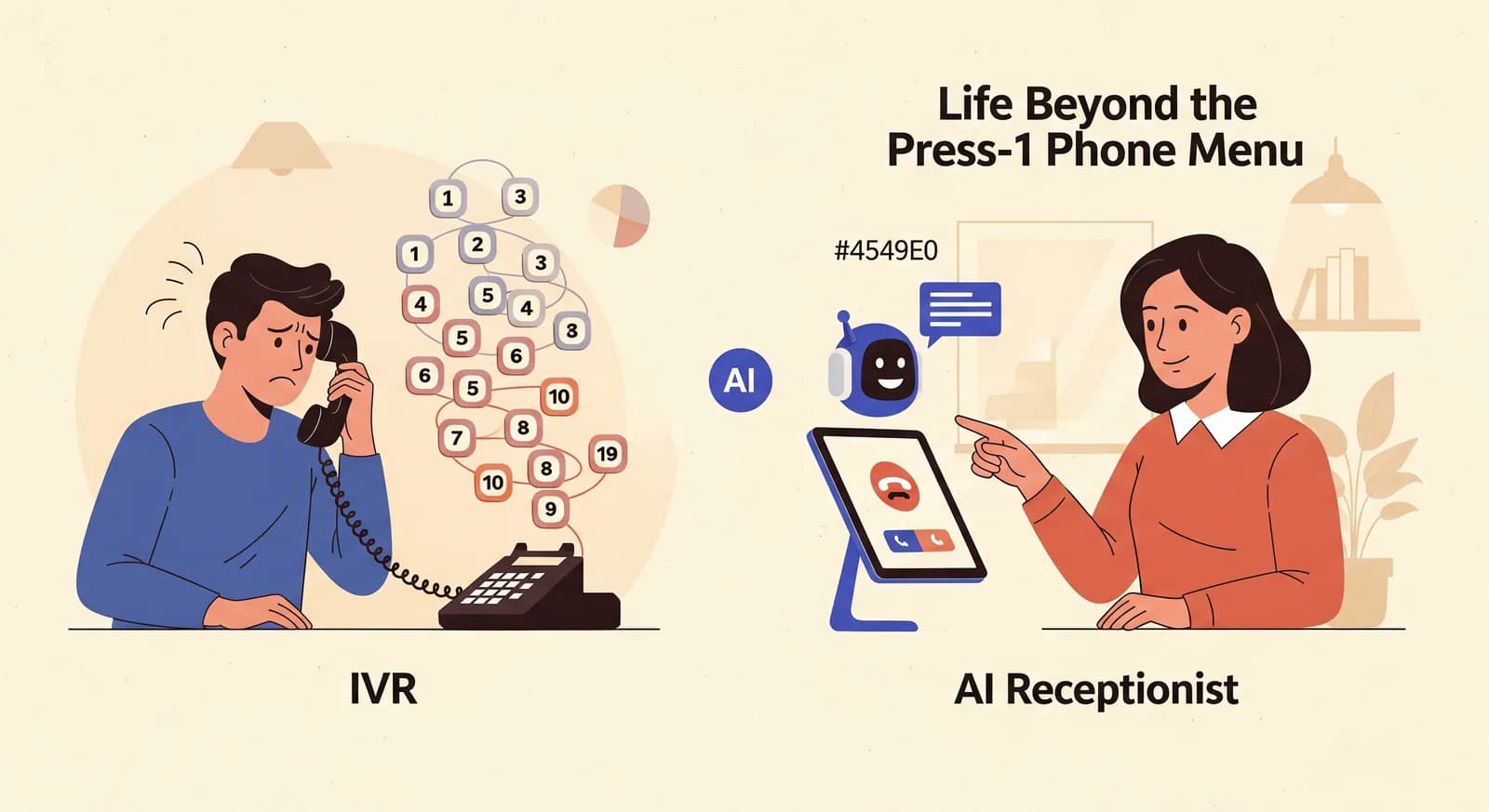
Nimeni nu a închis vreodată telefonul gândindu-se: „Ce meniu încântător.” Și totuși arborele „apasă 1” a condus liniile de afaceri din lume timp de patruzeci de ani. Întrebarea nu este dacă apelanții îl detestă — o fac —, ci dacă lucrul menit să-l înlocuiască, un asistent telefonic AI, este cu adevărat mai bun pentru linia ta anume. Uneori da. Uneori, sincer, nu.
Ce sunt de fapt un IVR și un asistent telefonic AI
Înainte să-i putem compara ar trebui să fim exacți, pentru că marketingul a înnegurat ambii termeni. IVR vine de la Interactive Voice Response — meniul înregistrat care spune „Apasă 1 pentru vânzări, apasă 2 pentru suport.” Navighezi prin el apăsând taste pe tastatura numerică (asta e DTMF, tonurile pe care le scoate telefonul) sau, în versiuni mai sofisticate, rostind un cuvânt-cheie dintr-o listă fixă. În esență, este un arbore de decizie. Fiecare traseu a fost trasat dinainte de cine l-a construit, iar singura sarcină a apelantului este să găsească ramura care se potrivește cu problema lui.
Un asistent telefonic AI este o cu totul altă poveste. Răspunde cu un salut, aude ce spune apelantul cu propriile cuvinte și reacționează — folosind ce știe despre afacerea ta ca să răspundă la întrebări, să facă o rezervare sau să-ți lase un mesaj. Nu există niciun meniu de memorat, pentru că nu există niciun meniu. Apelantul vorbește; el ascultă și răspunde. Vunoon este de acest al doilea fel: ridică receptorul, înțelege cererea, lucrează pe baza profilului pe care l-ai configurat și îți trimite apoi un rezumat și o transcriere.
Distincția contează mai mult decât pare. Un IVR îi cere apelantului să-și traducă nevoia umană dezordonată în categoriile tale rigide. Un asistent telefonic AI face el însuși această traducere. Din această unică diferență decurg aproape toate avantajele și toate compromisurile.
De ce meniurile telefonice îi frustrează pe cei care te sună
Gândește-te la ultima dată când ai sunat o firmă și ai dat de un meniu. Frustrarea nu e întâmplătoare; vine dintr-o mână de defecte structurale pe care nicio reînregistrare a salutului nu le va repara.
Apelantul trebuie să-ți cunoască organigrama. Un meniu îi obligă pe oameni să ghicească ce departament deține problema lor. „Apasă 2 pentru facturare, apasă 3 pentru conturi” — care e cel pentru factura mea întârziată? Apelantul nu-ți cunoaște granițele interne și nici n-ar trebui să le cunoască. Așa că ghicește, ajunge unde nu trebuie și fie așteaptă un transfer, fie închide și o ia de la capăt.
Meniurile sunt liniare, iar memoria e scurtă. Până când înregistrarea ajunge la „apasă 5”, majoritatea oamenilor au uitat ce erau 2 și 3. Arborii adânci — un meniu care duce la alt meniu care duce la un al treilea — sunt locul unde apelanții renunță în tăcere. Fiecare strat pierde oameni care decid că e mai ușor să treacă pe la fața locului sau să sune un concurent.
Rareori există o opțiune pentru ceea ce vrei de fapt. Meniul a fost scris pentru cele mai frecvente zece apeluri. Apelul tău este al unsprezecelea. Așa că apeși insistent zero, sperând că înseamnă „om”, iar jumătate din timp doar îți repetă meniul ca un papagal încăpățânat.
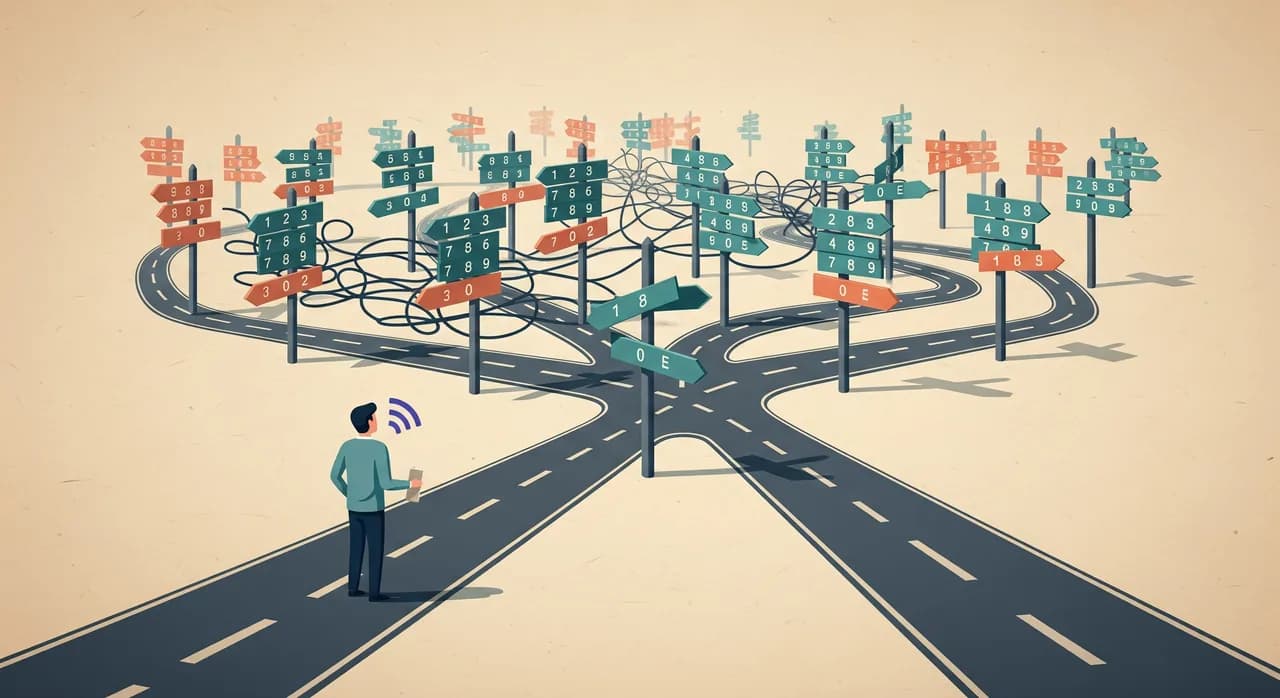
Nimic din toate astea nu e vina celui care ți-a construit meniul. Rezolva o problemă reală — direcționarea multor apeluri către câteva departamente fără ca un om să atingă fiecare apel — cu singura unealtă care exista. Meniul cu taste a fost un răspuns cu adevărat ingenios la o constrângere din anii '80. Constrângerea e cea care s-a schimbat.
“Un IVR îi cere apelantului să-și traducă nevoia umană dezordonată în categoriile tale rigide. Un asistent telefonic AI face această traducere în locul lui.”
Diferența pe care o face o conversație deschisă
Iată același apel, în două feluri. Un apelant sună un salon de coafură într-o marți seară. Vrea să mute programarea de vopsit de joi pe săptămâna viitoare și se întreabă dacă prețul s-a schimbat de data trecută.
Pe un meniu: „Apasă 1 pentru programări noi, apasă 2 pentru programări existente, apasă 3 pentru program și locație, apasă 4 pentru alte solicitări.” Apelantul vrea să schimbe o programare și să întrebe de preț. Astea sunt două ramuri. Alege 2, i se spune să aștepte, iar întrebarea despre preț pur și simplu… moare, pentru că nu exista nicio ramură pentru ea.
Cu un asistent telefonic AI: „Bună ziua, mulțumim că ați sunat — cu ce vă pot ajuta?” Apelantul spune totul dintr-o suflare: să mute vopsitul de joi și dacă s-a schimbat prețul. Asistentul gestionează reprogramarea în calendar, răspunde la întrebarea de preț din profilul configurat de proprietar și lasă o notă în inbox-ul acestuia. Un apel, o conversație, nicio ramură selectată pentru că nu existau ramuri.
Acesta e contrastul de fond. Un meniu este croit după tine — organizat în jurul departamentelor și proceselor tale. Un asistent telefonic AI bun este croit după apelant — pornește de la ce are nevoie persoana și lucrează înapoi spre afacerea ta. Apelantul nu trebuie niciodată să învețe cum ești organizat.
- Cereri compuse — „anulează asta și rezervă cealaltă” — sunt rezolvate dintr-o dată, în loc să te oblige la un al doilea apel.
- Al unsprezecelea apel — cel neobișnuit, pe care meniul tău nu l-a anticipat niciodată — primește un răspuns real sau un mesaj cum trebuie, în loc de o fundătură.
- Fără memorat — apelantul vorbește primul, deci nu are nimic de ținut minte cât timp bâzâie o înregistrare.
- Umple tăcerile cu tact — dacă nu poate face ceva, o spune, se oferă să ia un mesaj sau să te sune înapoi și nu se preface că e om când e întrebat.
Unde modestul meniu telefonic tot câștigă
Asta e partea pe care majoritatea articolelor de tip „omoară IVR-ul” o sar, iar sărind-o ajungi să înlocuiești ceva ce își făcea în liniște treaba. Meniurile mai au sens în câteva situații specifice și merită să fim sinceri în privința lor.
Direcționare cu volum mare, cu adevărat simplă. Dacă administrezi un call center unde 100.000 de apeluri pe lună se împart curat în patru găleți — și apelanții știu deja în care găleată sunt —, un meniu e rapid, previzibil și ieftin la scară. „Apasă 1 dacă ești deja client asigurat” funcționează pentru că împărțirea e clară, iar apelantul știe răspunsul instantaneu.
Conformitate și scripturi fixe. Unele fluxuri reglementate cer o secvență exactă, neschimbată — o informare rostită, un consimțământ înregistrat, un avertisment impus legal. Un meniu determinist care redă aceleași cuvinte de fiecare dată e ușor de auditat. Acolo previzibilitatea e un avantaj, nu un defect.
Autoservire pură pe bază de cifre. „Introduceți numărul de cont urmat de tasta diez” pentru a afla un sold este o sarcină, nu o conversație. Când interacțiunea chiar înseamnă doar date-in, date-out — verifici un sold, confirmi un interval de livrare, reînnoiești o rețetă recurentă după cod —, o tastatură e adesea mai rapidă decât vorbitul și funcționează perfect într-o cameră zgomotoasă.
Urgențe cu un singur răspuns corect. „Dacă este o urgență medicală, închideți și sunați la numărul local de urgență” trebuie să stea chiar la început, spus limpede, de fiecare dată. Acolo nu vrei nuanțe. Vrei aceleași câteva cuvinte, imediat.
De ce socoteala e diferită pentru o afacere mică
Argumentul pentru un meniu telefonic a fost mereu cel mai puternic la scară. Dacă ai doisprezece oameni care deservesc patru departamente, direcționarea eficientă către biroul potrivit economisește bani reali. Dar majoritatea afacerilor mici nu au patru departamente. Au un proprietar, poate câțiva angajați și un telefon care sună în timp ce toată lumea e deja ocupată cu persoana din față.
În lumea aceea un meniu rezolvă o problemă pe care nu o ai. Nu există niciun departament către care să direcționezi — ești tu. Ceea ce ai nevoie de fapt este ca apelul să primească răspuns: întrebarea lămurită, programarea făcută, mesajul luat, astfel încât apelantul să nu plece spre următorul rezultat din căutarea lui. Un meniu nu poate face nimic din toate astea. Poate doar să sorteze. Iar cu o singură destinație, sortarea e inutilă.

Ia în calcul aritmetica, fără să inventezi statistici precise. Imaginează-ți un salon cu două scaune care pierde, să zicem, zece apeluri pe săptămână pentru că toți sunt în plină programare. Dacă măcar o parte dintre acei apelanți ar fi făcut o rezervare, iar fiecare rezervare valorează o vizită plus cele care urmează, costul lui „telefonul doar a sunat în gol” se adună repede pe parcursul unui an. Un meniu n-ar fi salvat acele apeluri; nici la celălalt capăt al lui nu era nimeni. Ceva care chiar ridică receptorul și face rezervarea este o unealtă complet diferită.
Merită spus și pe șleau: pentru multe afaceri mici, adevăratul concurent al unui asistent telefonic AI nu e deloc un meniu sofisticat. Este mesageria vocală sau un telefon care pur și simplu sună în gol. Comparativ cu asta, dezbaterea conversație-versus-meniu e aproape academică — orice răspunde e mai bun decât nimic care nu răspunde.
Cum alegi: un scurt ghid de decizie
Nu ai nevoie de un tabel. Parcurge-ți sincer propria linie și răspunsul iese de obicei de la sine. Pornește de la apelurile pe care le primești de fapt.
- 1Notează cele mai frecvente cinci apeluriScrie despre ce sună oamenii de fapt săptămâna asta. Programări? Prețuri? Program? Reprogramări? O întrebare anume despre un serviciu? Dacă patru din cinci sunt întrebări și cereri variate, un meniu nu le poate gestiona — poate doar să indice în altă parte.
- 2Numără-ți destinațiile realeCâte locuri cu adevărat diferite ar putea fi capătul unui apel? Dacă răspunsul sincer este „unul — eu”, direcționarea e o soluție la o problemă pe care nu o ai. Dacă e „patru echipe clar separate”, un meniu își merită locul.
- 3Întreabă-te dacă apelanții îți cunosc structuraOamenii care te sună știu deja de ce departament sau opțiune au nevoie? Clienții asigurați existenți de obicei știu. Cineva care caută pe Google „instalator de urgență lângă mine” la 9 seara nu știe.
- 4Cântărește costul unui apel pierdutDacă un apel pierdut e o vânzare pierdută care valorează bani reali, vrei ceva care răspunde și prinde rezervarea, nu ceva care sortează. Dacă apelurile pierdute sunt ieftine și rare, presiunea e mai mică.
- 5Decide ce se întâmplă în afara programuluiMeniurile direcționează către birouri închise; apelantul tot se lovește de un zid după program. Un asistent telefonic AI poate răspunde la 23:00, poate face rezervarea și o poate avea gata pentru tine la 8:00. Dacă multe dintre apelurile tale cad în afara programului, adesea doar asta decide totul.
| Meniu telefonic IVR | Asistent telefonic AI | |
|---|---|---|
| Cum interacționează apelantul | Apasă taste sau alege dintr-o listă fixă de cuvinte | Vorbește firesc, cu propriile cuvinte |
| Gestionează apelul neprevăzut | Nu — cade din arbore sau repetă meniul | Da — răspunde sau ia un mesaj cum trebuie |
| Cereri compuse | O ramură pe rând; restul se pierde | Rezolvate împreună într-o singură conversație |
| Cel mai bun la | Direcționare cu volum mare către câteva echipe clare | Răspuns, rezervări și mesaje pentru apeluri variate |
| După program | Direcționează către un birou închis | Chiar răspunde și prinde cererea |
| Punct slab | Apelanții trebuie să-ți cunoască organigrama | Nu e unealta pentru autoservirea pură pe taste |
Nu trebuie mereu să alegi doar unul
Formularea „AI versus IVR” face totul să pară un meci în cușcă. În practică, cele mai inteligente configurări le suprapun adesea. Poți păstra o singură linie simplă chiar la început pentru lucrul care trebuie să fie determinist — „dacă este o urgență, sunați la numărul local de urgență” — și apoi să lași un asistent telefonic AI să se ocupe de tot ce urmează.
O operațiune mai mare ar putea păstra un meniu subțire de direcționare pentru două afaceri cu adevărat separate sub același număr, apoi să predea fiecare ramură unui asistent conversațional în loc de o coadă de așteptare. Ideea nu e să fii purist. E să folosești un meniu doar acolo unde previzibilitatea lui merită cu adevărat frecarea și să lași conversația deschisă să ducă restul — care, pentru majoritatea afacerilor mici, e aproape totul.
Cum arată de fapt înlocuirea meniului
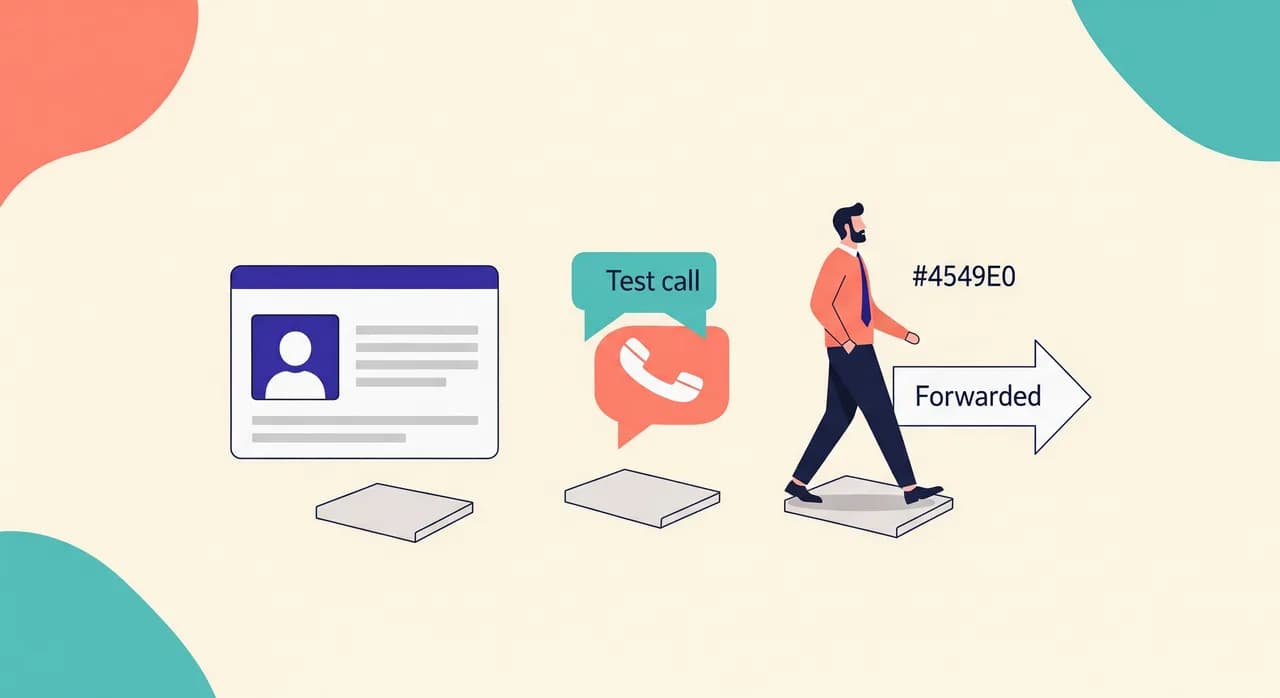
Un motiv pentru care oamenii se agață de meniuri este inerția — senzația că orice altceva înseamnă un proiect de sistem telefonic cu un consultant și un termen de trei luni. Nu trebuie să fie așa. Cu Vunoon schimbarea e autoservire și rapidă: te înscrii, îți descrii afacerea într-un vrăjitor scurt (serviciile tale, programul, prețurile și răspunsurile pe care vrei să le dea) și apoi îl testezi pur și simplu vorbind cu el la telefon, înainte s-o facă altcineva.
Când sună bine, îți redirecționezi numărul către el — tot timpul, doar în afara programului sau doar când propria ta linie e ocupată, cum ți se potrivește. De atunci înainte îi salută pe apelanți, răspunde din profilul tău, ia rezervări și mesaje și îți trimite un rezumat și o transcriere a fiecărui apel. Funcționează în peste 25 de limbi, așa că un apelant care trece la altă limbă în mijlocul frazei nu rămâne blocat la „apasă 1 pentru engleză”.
Și ca să fim direcți în privința limitelor, pentru că încrederea se clădește pe ele: un asistent telefonic AI nu e unealta potrivită pentru orice sarcină. Nu va da sfaturi medicale sau juridice, nu va inventa răspunsuri pe care nu i le-ai dat niciodată și nu se va preface om când un apelant îl întreabă direct. Pentru autoservirea pură pe taste — introdu numărul de cont ca să afli un sold — un meniu e în continuare mai simplu. A ști unde nu se potrivește e exact modul în care știi că se potrivește peste tot în rest.
“Un meniu e croit după tine, organizat în jurul departamentelor tale. Un asistent telefonic AI bun e croit după apelant — pornește de la ce are nevoie persoana.”
Un asistent telefonic AI e doar un meniu telefonic IVR mai deștept?
Meniurile telefonice sunt complet învechite acum?
Pot păstra un meniu simplu și adăuga un asistent telefonic AI?
Vor ști apelanții că nu vorbesc cu o persoană?
Cât durează trecerea de la un meniu la un asistent telefonic AI?
Vezi ce aud apelanții tăi când meniul dispare
Compară o conversație deschisă cu actualul tău meniu „apasă 1”, apoi configurează unul și testează-l chiar tu înainte ca vreun apelant real să-l atingă.
Compară asistentul telefonic AI și meniul telefonic
Vunoon dezvoltă un asistent telefonic AI care răspunde la apelurile afacerii tale non-stop — programează întâlniri, răspunde la întrebările frecvente și îți trimite un rezumat al fiecărei conversații.