Cum alegi o centrală telefonică virtuală: o listă de verificare în 12 puncte
O listă de verificare imparțială, gata de tipărit, pentru evaluarea unui serviciu de recepționer virtual — calitatea vocii, adâncimea programărilor, limbile, escaladarea, gestionarea datelor, efortul de configurare și prețul — ca să cumperi pe bază de dovezi, nu de marketing.
 Vunoon17 min de citit
Aproape orice demo al unei centrale telefonice virtuale sună grozav. Tocmai asta e problema. Clipul lustruit de treizeci de secunde de pe pagina de prezentare nu-ți spune aproape nimic despre cum se comportă lucrul acela marți seara la 18:47, când un apelant nedumerit se pierde la mijlocul frazei și pe fir e o programare. Această listă de verificare e construită ca să treacă dincolo de demo și să testeze cele douăsprezece lucruri care hotărăsc cu adevărat dacă un recepționer AI își merită banii — indiferent al cărui furnizor e sigla pe el.
Noi vindem un astfel de instrument, așa că tratează tot ce urmează cu scepticismul pe care îl merită. Dar lista în sine este în mod deliberat imparțială: e scrisă în așa fel încât un cititor atent ar putea-o folosi ca să ne respingă pe noi la fel de ușor ca pe oricine altcineva. Tocmai asta e ideea. O evaluare bună ar trebui să fie ceva ce poți rula pe un cont de probă cu un carnețel în mână, nu o fișă tehnică pe care o iei de bună.
Tipărește-o sau copiaz-o într-un document. Notează cinstit fiecare punct în perioada de probă gratuită, înainte ca vreodată cardul să-ți fie taxat. Dacă un furnizor face dificilă testarea vreunui punct de pe această listă, și asta e o informație — de obicei cea mai utilă pe care o vei obține.
De ce ai nevoie de o listă de verificare, nu de un tabel comparativ
Tabelele comparative îl avantajează pe cel care le scrie. Fiecare funcție devine o bifă, fiecare bifă pare egală, iar „suport multilingv” stă cu aceeași greutate vizuală ca „răspunde la telefon”. Dar funcțiile care contează nu sunt binare și nu sunt la fel de importante pentru afacerea ta. Un frizer cu un singur scaun și o clinică de fizioterapie cu doisprezece terapeuți au nevoie de lucruri aproape opuse de la aceeași categorie de produs.
O listă de verificare te obligă să faci munca pe care un tabel o ascunde: să cântărești fiecare criteriu în raport cu tiparele reale ale apelurilor tale și apoi să-l testezi, în loc să te încrezi într-o grilă bifată. Cele douăsprezece puncte de mai jos sunt ordonate aproximativ după cât de des îi surprind pe oameni după cumpărare — cele de la început par evidente și rareori sunt.

1. Calitatea vocii — dar cea plictisitoare
Toată lumea testează dacă vocea sună uman. Ăsta e testul greșit, fiindcă într-un demo aranjat sună întotdeauna așa. Testul real e dacă vocea rămâne inteligibilă și netulburată sub presiune: zgomot de fond, un apelant care vorbește peste ea, o conexiune mobilă proastă, un nume pe care nu l-a auzit niciodată. Sună la contul tău de probă dintr-o mașină cu geamul întredeschis. Sună din bucătăria zgomotoasă. Mormăie numele unei străzi.
- Întrerupe elegant sau calcă pur și simplu peste un apelant care începe să vorbească?
- Când aude greșit, pune o întrebare de clarificare rezonabilă sau merge înainte cu răspunsul greșit?
- Există o pauză stânjenitoare de două secunde înaintea fiecărui răspuns, care îi face pe apelanți să creadă că s-a întrerupt linia?
- Sună natural la viteza cu care vorbesc oamenii reali, nu doar la ritmul lent și clar al unui demo?
Latența — intervalul dintre momentul în care apelantul termină și cel în care asistentul începe — e ucigașul tăcut aici. O voce poate fi superbă și tot să pară robotică dacă se blochează. Cronometreaz-o aproximativ cu un cronometru pe trei sau patru apeluri. Dacă pauzele te fac să te simți inconfortabil ca tester, îți vor face clienții să închidă.
2. Adâncimea programărilor: chiar poate duce treaba la capăt?
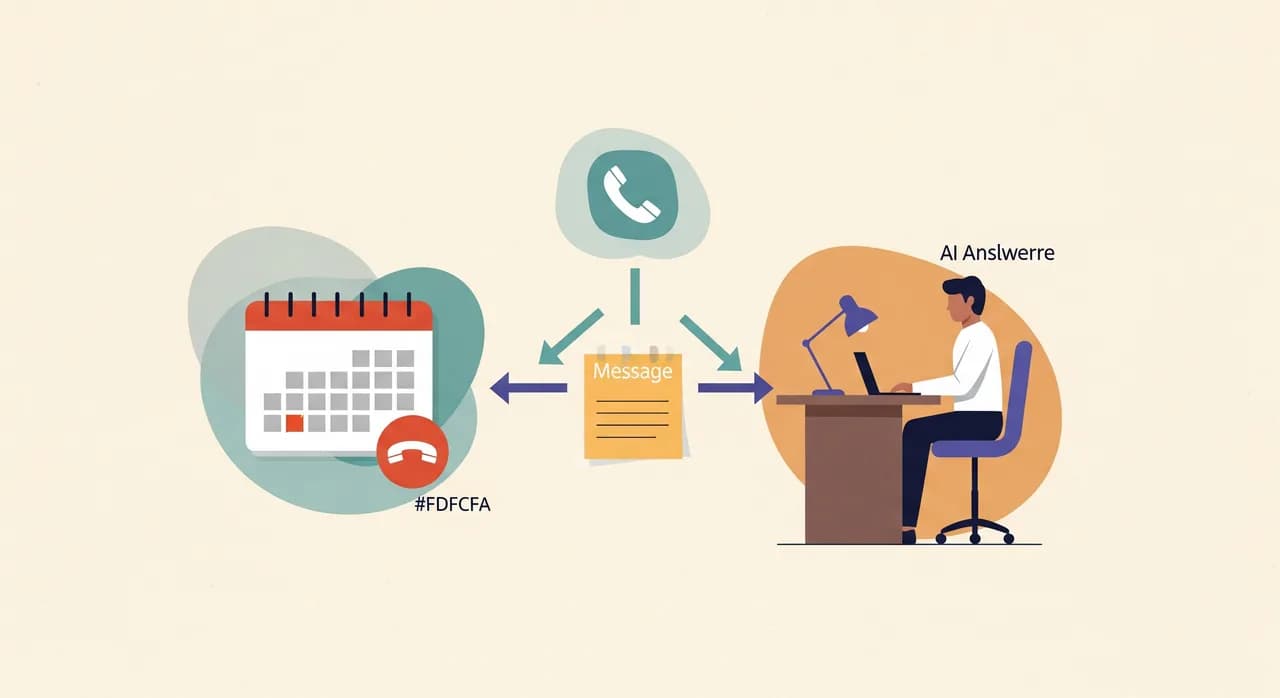
Aici se despart în liniște majoritatea centralelor telefonice virtuale și aici te costă bani diferența. E o lume de diferență între un asistent care preia un mesaj despre o cerere de programare și unul care finalizează programarea — verificând un calendar în timp real, oferind sloturi libere reale și scriind programarea înapoi în calendar.
Niciunul nu e greșit. Un preluator de mesaje e cinstit și simplu, iar pentru unele afaceri e exact suficient. Dar trebuie să știi pe care dintre ele îl cumperi, fiindcă „gestionează programări” apare pe ambele pagini de marketing. Pune întrebarea concretă: după ce se termină apelul, există un slot confirmat în calendarul meu sau doar o notiță în inbox că cineva vrea unul?
- 1Rezervă un slot realÎn perioada de probă, cere-i asistentului să te programeze. Apoi uită-te în calendarul cu care spune că se integrează. A apărut programarea, cu ora și detaliile corecte?
- 2Încearcă o dublă rezervareCere o oră despre care știi că e deja ocupată. Un instrument superficial va rezerva bucuros conflictul. Unul serios va spune că nu e disponibilă și va oferi alternative.
- 3Răzgândește-te în timpul apeluluiCere să muți ora, apoi pune o întrebare, apoi confirmă. Vezi dacă ține firul discuției sau o ia de la capăt.
- 4AnuleazăÎncearcă să anulezi sau să reprogramezi o rezervare existentă prin telefon. Multe instrumente pot crea, dar nu pot atinge ceea ce există deja.
“„Gestionează programări” apare pe orice pagină de marketing. Întreabă mai degrabă: după apel, există un slot confirmat în calendarul meu sau doar o notiță că cineva a vrut unul?”
3. Îți cunoaște afacerea sau doar salută apelanții?
O bună parte din apelurile primite sunt întrebări la care proprietarul ar răspunde dintr-o suflare: Sunteți deschis duminică? Primiți clienți fără programare? Cât costă o plombă? Unde parchez? Un asistent care nu poate decât să preia mesaje îți trimite pe fiecare dintre ele ca sarcină de sunat înapoi — ceea ce anulează jumătate din rost.
Așa că testează direct stratul de cunoștințe. În timpul configurării îți vei descrie serviciile, programul și prețurile. Apoi pune-i asistentului cele zece întrebări pe care le primești cel mai des. Numără la câte răspunde corect și la câte se poticnește sau inventează. Un asistent care inventează cu încredere un răspuns e mai rău decât unul care spune „lăsați-mă să confirm cu proprietarul” — un preț greșit spus la telefon e o promisiune pe care acum trebuie s-o onorezi sau s-o retragi stânjenit.
4. Escaladare și predare: ce se întâmplă când nu se descurcă?
Niciun recepționer AI n-ar trebui să încerce să facă totul, iar cele bune nici nu pretind asta. Întrebarea e ce se întâmplă la limita competenței lui. Un apelant cu o urgență reală, un client furios, o întrebare de nișă, cineva care spune pur și simplu „vreau să vorbesc cu o persoană” — comportamentul asistentului în aceste momente decide dacă îți protejează reputația sau ți-o strică.
- Poate transfera sau redirecționa un apel în timp real către tine sau un coleg când contează — sau preluarea unui mesaj e singura ieșire?
- Oferă un apel de revenire și chiar reține un număr valabil și un motiv?
- Când un apelant întreabă „vorbesc cu un robot?”, răspunde cinstit? Un asistent care se preface a fi om va fi până la urmă prins, iar asta arată mult mai rău decât un politicos „sunt un asistent AI al cabinetului”.
- Există o modalitate de a direcționa diferit apelurile urgente — de exemplu, un instalator vrea ca un apel despre o țeavă spartă să ajungă la un om, nu într-o coadă de mesaje?
Escaladarea e cea mai puțin testată funcție și cea mai probabilă să te muște. Împinge intenționat asistentul dincolo de ce poate face și urmărește cum eșuează. Un eșec elegant — „vă notez numărul și vă va suna doctorul Weber în decurs de o oră” — e o funcție. Un eșec tăcut, blocat sau necinstit e o vulnerabilitate.
5. Limbile — și cum decide pe care s-o vorbească
Dacă o parte semnificativă dintre apelanții tăi se simt mai confortabil în altă limbă, asta nu e un moft. Dar „suportă 25 de limbi” ascunde o întrebare mai grea: cum știe asistentul ce limbă să folosească? Detectează automat limba apelantului și comută sau apelantul trebuie mai întâi să treacă printr-un salut în engleză? Poate comuta în timpul apelului dacă cineva începe într-o limbă și continuă în alta?
Testează-l în a doua limbă pe care apelanții tăi o folosesc de fapt — nu doar în numărul de limbi de pe pagina de marketing. Ascultă dacă accentul și formulările sunt naturale pentru un vorbitor nativ sau doar o traducere automată acceptabilă. O a doua limbă rigidă poate fi mai rea decât nicio a doua limbă, fiindcă îi semnalează acelui apelant că e o idee de moment.
6. Acoperirea: în afara programului, la supraîncărcare sau ambele?
Fii clar în privința sarcinii pentru care angajezi, fiindcă asta schimbă cum arată „bun”. Trei forme frecvente:
- Doar în afara programului — tu răspunzi ziua, asistentul prinde serile, nopțile și weekendurile. Aici contează cel mai mult preluarea fiabilă a mesajelor și programările.
- Supraîncărcare — asistentul răspunde când linia ta e ocupată sau nu apucă nimeni în câteva apeluri, ca al doilea și al treilea apelant să nu se piardă cât ești la telefon. Aici contează cel mai mult cum predă apelul și cât de repede răspunde.
- Linia întâi completă, 24/7 — asistentul e răspunsul implicit, iar tu ești escaladarea. Aici contează dintr-odată fiecare punct de pe această listă.
Fă socoteala pe propriile tale cifre. Dacă ratezi cu adevărat zece apeluri pe săptămână și chiar și două dintre ele s-ar fi transformat în programări, întrebarea despre valoare se răspunde singură cu mult înainte să ajungi la preț. Un instrument care avea nevoie doar să-ți salveze o singură programare pe săptămână de obicei s-a plătit deja singur.
7. Ce ajunge în inboxul tău după apel
Apelul e doar jumătate din produs. Cealaltă jumătate e ce primești după, fiindcă asta îți permite să dai curs, să depistezi probleme și să te încrezi în lucrul acela fără să asculți fiecare înregistrare. Un serviciu bun trimite un rezumat clar al fiecărui apel — cine a sunat, ce a vrut, ce s-a decis, numărul lui — plus, ideal, o transcriere completă pentru apelurile la care rezumatul nu ajunge.
- Rezumatul e acționabil dintr-o privire sau e un zid de text pe care trebuie să-l descifrezi?
- Reține fiabil numărul și motivul apelantului, ca revenirea să nu fie ghicit?
- Poți vedea o transcriere când ai nevoie să verifici exact ce s-a promis?
- Cât de repede ajunge — un rezumat care apare a doua zi dimineața e mult mai puțin util decât unul care sosește cât apelantul e încă proaspăt în minte?
8. Gestionarea datelor: unde ajung apelurile tale și cine le poate vedea
Apelurile tale conțin informații personale — nume, numere de telefon, uneori detalii medicale sau financiare, în funcție de meseria ta. Asta face din gestionarea datelor un criteriu real, nu un teatru de conformitate. Nu-ți trebuie o diplomă în drept ca să pui întrebări tăioase, iar furnizorii cinstiți răspund la ele simplu.
- Unde sunt stocate înregistrările și transcrierile apelurilor și pentru cât timp? Poți seta o perioadă de păstrare sau șterge la cerere?
- Cine — om sau terță parte — poate accesa conținutul apelurilor tale?
- Dacă deservești clienți dintr-o regiune cu reguli stricte de confidențialitate, furnizorul abordează asta direct și în scris, în loc să o dea la o parte?
- Poți exporta sau șterge datele unui client dacă îți cere?
9. Efortul de configurare: minute, zile sau un apel de vânzări?
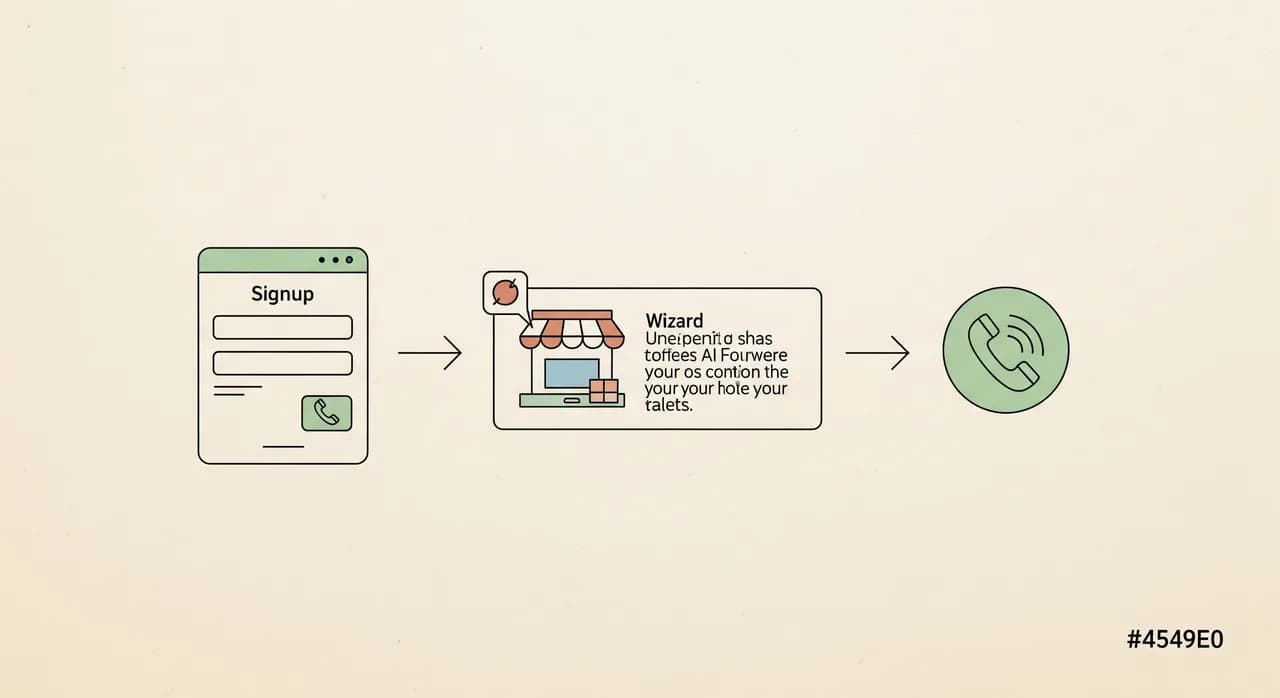
Efortul de configurare e un cost ascuns care rareori apare pe pagina de prețuri. Unele centrale telefonice virtuale sunt cu adevărat de tip self-service: te înscrii, îți descrii afacerea într-un asistent scurt, o testezi vorbind cu ea și îți redirecționezi numărul — totul într-o după-amiază, fără să vorbești cu nimeni. Altele cer un apel de onboarding, o sesiune de scriere a scenariului și o așteptare până să apuci măcar s-o încerci.
Niciun model nu e automat mai bun, dar se potrivesc unor oameni diferiți. Dacă vrei să încerci lucrurile diseară, după închidere, un apel de vânzări obligatoriu e o frecare. Dacă fluxurile tale de apeluri sunt cu adevărat complexe, un onboarding asistat ar putea merita. Semnalul de urmărit: poți experimenta produsul real înainte să te angajezi? Dacă singura cale de evaluare e un demo programat, condus de un agent de vânzări, evaluezi agentul de vânzări, nu software-ul.
10. Cum se conectează la numărul tău existent
Aproape sigur nu vrei să distribui un număr nou de telefon. Mecanismul practic pentru majoritatea micilor afaceri e redirecționarea apelurilor: îți păstrezi numărul existent și redirecționezi apelurile către asistent fie mereu, fie doar în afara programului, fie doar când linia e ocupată sau nu răspunde nimeni. Asta ar trebui să fie o setare pe abonamentul tău telefonic actual, nu o reconstrucție a telefoniei tale.
- Poți redirecționa condiționat — doar apelurile fără răspuns sau pe cele când e ocupat — ca să răspunzi în continuare când ești liber și el să le prindă pe restul?
- Funcționează cu operatorul și numărul tău actual sau te împinge către unul nou?
- Cât de repede îl poți opri dacă pleci în concediu sau porni dacă ești copleșit? Controlul ar trebui să fie imediat, nu un tichet de suport.
- Se păstrează identificarea apelantului, ca să vezi în continuare cine a sunat chiar și când a răspuns asistentul?
11. Fiabilitate și control când lucrurile o iau razna
Un asistent care răspunde 98% din timp și lasă restul să cadă în tăcere nu e un produs 98%-bun; e un produs cu o problemă de reputație. Întreabă ce se întâmplă dacă serviciul are o pană. Apelul eșuează în tăcere, cade pe mesageria vocală sau sună la tine? O soluție rezonabilă de rezervă — apelul ajunge la un om sau la o mesagerie vocală când AI-ul nu poate — e diferența dintre o zi proastă și un client pierdut.
Și controlul contează. Ar trebui să poți schimba salutul, corecta un preț greșit de asistent, ajusta programul și pune totul pe pauză — repede și singur, fără să scrii la suport. Testează o mică modificare în perioada de probă și cronometrează cât durează până intră în vigoare. Dacă actualizarea programului tău e un du-te-vino de două zile, imaginează-ți cum e să repari o greșeală în cea mai aglomerată săptămână.
12. Modelul de preț — nu doar cifra
Lasă prețul la urmă, în mod intenționat. Odată ce știi că un instrument trece de primele unsprezece puncte, cifra devine o întrebare de valoare, nu un prim filtru. Iar forma prețului contează adesea mai mult decât suma din titlu. Fiecare model obișnuit ascunde o altă surpriză:
| Model | Cum arată | Întrebarea de pus |
|---|---|---|
| Pe minut | Plătești timpul de vorbire | Care e un total lunar realist la volumul meu de apeluri? Un instrument vorbăreț costă mai mult. |
| Pe apel | Tarif fix pentru fiecare apel preluat | Închiderile scurte și numerele greșite contează ca apeluri facturabile? |
| Lunar fix | Un preț predictibil | Ce e inclus și ce declanșează o suprataxă — apeluri în plus, limbi în plus, integrări? |
| Pe niveluri | Planuri după volum sau funcții | De ce nivel am nevoie cu adevărat și cât de brutal e saltul când îl depășesc? |
Capcana e aceeași în fiecare model: titlul ieftin care devine scump la utilizarea ta reală. Estimează-ți costul lunar folosind volumul tău real de apeluri, nu exemplul furnizorului. Și cântărește-l în raport cu alternativa cinstită — apelurile pe care le ratezi acum. Dacă și o fracțiune dintre ele s-ar fi transformat în programări, comparația nu e preț față de zero; e preț față de venitul pe care deja îl pierzi. Pentru a vedea unde se plasează un anumit instrument, verifică-i propria pagină de prețuri în loc să te încrezi într-un rezumat.
Cum pui lista de verificare la treabă
Nu e nevoie să notezi toate cele douăsprezece la fel. Alege-le pe cele trei sau patru care contează cel mai mult pentru meseria ta și tratează-le ca admis/respins. Un cabinet stomatologic va cântări greu adâncimea programărilor și escaladarea. Un restaurant care ia rezervări în două limbi va ține cel mai mult la comutarea limbii și la acoperirea în afara programului. Un meseriaș va trăi sau muri după cum se escaladează apelurile urgente către un om.
Apoi rulează perioada de probă cu carnețelul deschis. Dă tu însuți apelurile. Dă-le pe cele stânjenitoare. Tot exercițiul durează o seară și înlocuiește luni de regret tăcut cu o oră de testare cinstită. Un instrument care supraviețuiește apelurilor tale din cel mai rău caz le va gestiona cu ușurință pe cele obișnuite ale clienților tăi — iar unul care se poticnește la probă oricum nu avea să se îmbunătățească odată ce cardul îți era taxat.
Care e cel mai important lucru de testat la o centrală telefonică virtuală?
Pot evalua un recepționer AI fără să vorbesc cu un agent de vânzări?
Am nevoie de un număr nou de telefon ca să folosesc un recepționer AI?
Un recepționer AI va face programări sau doar va prelua mesaje?
Cum ar trebui să compar prețurile între centrale telefonice virtuale?
Rulează lista de verificare pe un asistent real
Cel mai rapid mod de a nota aceste douăsprezece puncte e să testezi un asistent funcțional pe propriile tale apeluri. Configurează unul în câteva minute, descrie-ți afacerea și sună-l tu însuți înainte să decizi orice.
Vezi cum funcționează configurarea
Vunoon dezvoltă un asistent telefonic AI care răspunde la apelurile afacerii tale non-stop — programează întâlniri, răspunde la întrebările frecvente și îți trimite un rezumat al fiecărei conversații.