AI hívásösszefoglaló: minden hívásból legyen következő lépés
Egy nem fogadott hívás csak akkor elveszett lehetőség, ha utána nem történik semmi. Íme, mit tartalmaz egy tényleg használható AI hívásösszefoglaló, hová érkezzen, és milyen ötperces reggeli rutin akadályozza meg, hogy érdeklődők csússzanak ki a kezedből.
 Vunoon14 perc olvasás
A hívást felvették, a hívó elégedett, az asszisztens leteszi. És aztán? Rengeteg kisvállalkozásnál pontosan itt szivárog el a pénz – nem a hívás közben, hanem az utána következő tizenkét órában, amikor senkinek nem jutott eszébe visszahívni a vízvezeték-szerelőt. Egy jó AI hívásösszefoglaló nem valami kellemes kis napló. Ez az átadási pont, amelyen eldől, hogy a hívásból foglalás lesz-e vagy lábjegyzet.
Az AI telefonos asszisztensekről szóló beszélgetés nagy része ott ér véget, hogy valaki felveszi a telefont. Ez a látványos rész – a köszöntés, a természetes hang, az, hogy egy vasárnap este kilenckor telefonáló ember valódi választ kap sípszó helyett. De a hívás fogadása csak a munka fele. A másik fele az, amit te, a tulajdonos kapsz utána: tiszta feljegyzést arról, ki hívott, mit akart, és neked mi a dolgod ezzel.
Ez a cikk erről a második félidőről szól. Nem a vonal túlsó végén megszólaló hangról, hanem a feljegyzésről, amely a postaládádba érkezik – és ami még fontosabb, arról az apró napi szokásról, amely ebből a feljegyzéshalomból tényleges bevételt csinál. Mert egy összefoglaló, amelyet sosem olvasol el, csak egy rendezettebb módja annak, hogy lemaradj egy hívásról.
Miért az összefoglaló a valódi termék, és nem a hívás
Gondold végig, mi történik ma, amikor nem veszel fel egy hívást. Jó esetben kapsz egy hangüzenetet. Végighallgatsz kilencven másodpercnyi motyogást, aminek a fele annyi, hogy „öö, jó napot, szóval, hát”, felfirkantasz egy számot egy számla hátuljára, és megígéred magadnak, hogy ebéd után visszahívod. Nem hívod vissza. Rossz esetben nincs is hangüzenet – csak egy értesítés a nem fogadott hívásról, benne egy számmal, amelyet nem ismersz fel, és sosem fogsz tárcsázni, mert fogalmad sincs, ügyfél volt-e vagy futár.
A hangüzenet nyersanyag. Az összefoglaló kész alkatrész. A különbség azért számít, mert egy érdeklődőnél órákban mérhető a cselekvésre maradt idő, nem napokban. Aki egy esős kedden felhív három tetőfedőt, azt bízza meg, aki elsőként hívja vissza, méghozzá úgy, hogy hallatszik rajta: figyelt. Ha a hívásról csak egy zavaros hangüzenet marad, amelyet majd egyszer megfejtesz, akkor már veszítettél azzal a tetőfedővel szemben, akinek az asszisztense e-mailben küldött egy kétsoros összefoglalót, ő pedig elolvasta egy piros lámpánál.
Az összefoglaló tehát nem adminisztráció. Ez az, ami annyira olcsóvá teszi az utánkövetést, hogy tényleg meg is csinálod. Egy utánkövetés pedig, amit tényleg megcsinálsz, többet ér, mint egy tökéletes hívás, amiből sosem lesz semmi.
Mit tartalmaz egy tényleg használható hívásösszefoglaló
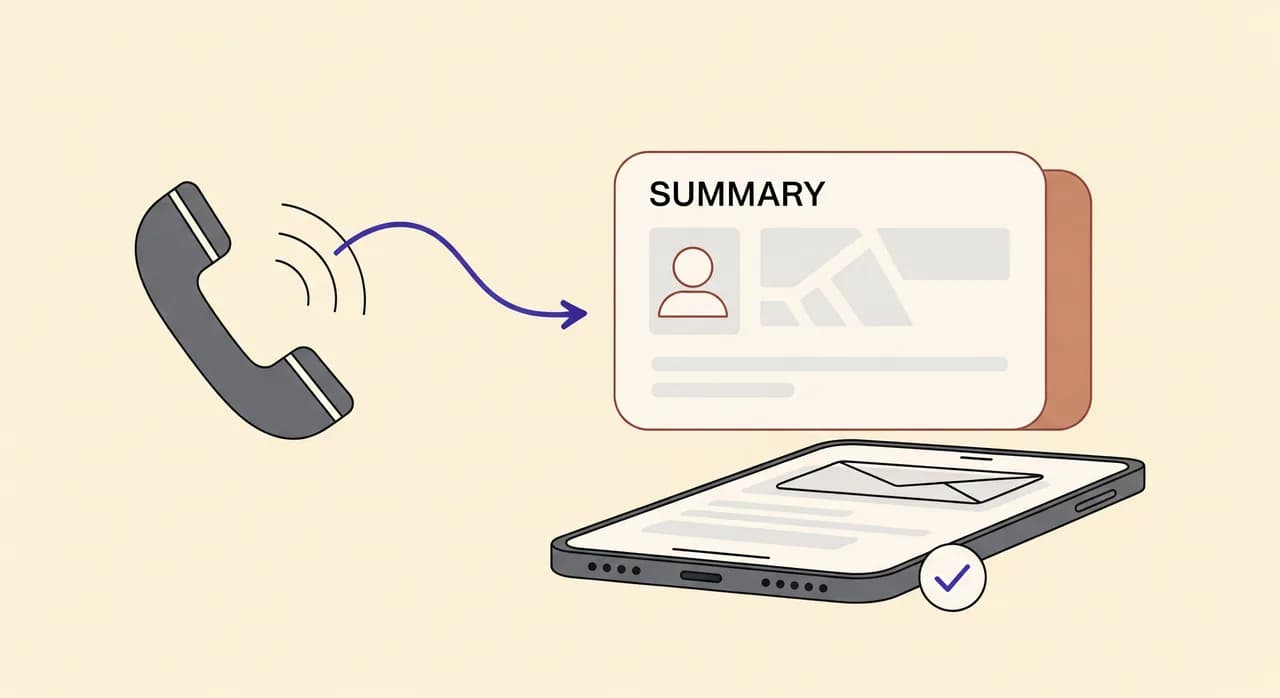
Nem minden hívásjegyzet ér ugyanannyit. Egy összefoglaló, amelyben csak annyi áll, hogy „a hívó a szolgáltatások felől érdeklődött”, alig ér többet egy nem fogadott hívásról szóló értesítésnél. A használható változat négy kérdésre válaszol, mielőtt megiszod a kávédat: ki hívott, miért, milyen részletek hangzottak el, és mi a következő dolgod. Ha ebből a négyből bármelyik hiányzik, megint csak találgatsz.
Így néz ki annak az összefoglalónak az anatómiája, amely kiérdemli a helyét a postaládádban.
- A hívó. Név, ha megadta, és mindig a szám, amelyen visszahívható. Ha említette, hogy régi ügyfél, vagy hogy valaki ajánlott téged, annak is itt a helye.
- A szándék, egyetlen sorban. „Árajánlatot kér fürdőszoba újracsempézésére” vagy „Áttenné a csütörtöki időpontot”. Nem az, hogy „általános érdeklődés”. Az egész lényeg az, hogy a hívás meghallgatása nélkül is tudd, miről szólt.
- A lényeges részletek. Azok az információk, amelyek megváltoztatják a válaszodat – a cím, az autó típusa, a remélt időpont, a munka mérete, az, hogy csőtörés miatt sürgős. Ezektől tudsz felkészülten visszahívni ahelyett, hogy mindent újra megkérdeznél.
- A teendő. A legfontosabb mező az összes közül. „Vissza kell hívni az ár egyeztetéséhez”, „Kedd 14:00-ra lefoglalva – nincs teendő” vagy „E-mailben kéri a katalógust”. Egy összefoglaló teendő nélkül olyan, mint egy történet befejezés nélkül.
- A hangulat, ha egyértelmű. Nem pszichoanalízis – csak egy jelzés, ha valaki ingerültnek, sietősnek vagy azonnali vásárlásra késznek hangzott. Ebből tudod, hogy a ma reggeli tizenkét feljegyzés közül melyiket kell először visszahívni.
A Vunoon minden hívás után pontosan ezt küldi el: rövid összefoglalót a hívóról, a szándékáról, az elhangzott részletekről és a javasolt következő lépésről – alatta pedig a teljes átiratot, ha az egészet el akarod olvasni. Az összefoglaló arra való, hogy egy pillantással átfusd. Az átirat azokra az esetekre, amikor a pontos szavakra van szükséged.
Összefoglaló vagy átirat: mindkettő kell, más-más célra
Sokan megkérdezik, összefoglaló kell-e nekik vagy átirat. Az őszinte válasz az, hogy a kettő más munkát végez, és egy jó felállásban mindkettőt megkapod, egymásra rétegezve.
Az összefoglalót olvasod az esetek kilencvenöt százalékában. Ez a szűrőréteg: éppen annyi, amiből eldöntöd, hogy most cselekszel, később, vagy sehogy. Tízet át kell tudnod nézni belőle annyi idő alatt, amíg megiszol egy fél kávét.
Az átirat a biztonsági háló. Akkor nyúlsz hozzá, ha az összefoglaló kérdést vet fel – csütörtököt mondott vagy keddet? Mi volt pontosan a cím? Említett-e keretösszeget? –, vagy ha a hívás feszült volt, és a visszahívás előtt tudni akarod a pontos szavakat. És ezt továbbítod a kollégának, ha a munka nem rád tartozik.
| Összefoglaló | Átirat | |
|---|---|---|
| Mire való | Eldönteni, mi a teendő | Ellenőrizni, pontosan mi hangzott el |
| Milyen gyakran olvasod | Minden hívásnál | Ha valami nem világos vagy vitatott |
| Hossz | Néhány sor | A teljes beszélgetés |
| Mikor a legjobb elővenni | Reggeli átnézéskor, telefonon | Egy alapos visszahívás előtt vagy átadáskor |
“Egy összefoglaló, amelyet sosem olvasol el, csak egy rendezettebb módja annak, hogy lemaradj egy hívásról.”
Hová érkezzen az összefoglaló – és miért ez a fél siker
A világ legjobban megírt összefoglalója is használhatatlan, ha oda érkezik, ahová sosem nézel. Ez az a hiba, amely csendben megöl sok egyébként jó rendszert: a feljegyzések egy vezérlőpultba kerülnek, ahová a tulajdonos havonta kétszer lép be, és akkor akár ne is lennének.
A szabály egyszerű: az összefoglaló oda érkezzen, ahol amúgy is töltöd a napodat. A legtöbb kisvállalkozónál ez az e-mail és a telefon. Nem egy külön alkalmazás, amelynek meg kell jegyezned a megnyitását. Nem egy bejelentkezés mögé rejtett felület, amelynek elfelejted a jelszavát. Az utánkövetés szokása csak akkor éli túl a hétköznapokat, ha belefér oda, ahová naponta hússzor amúgy is ránézel.
- Az e-mail az igásló. Minden hívásból üzenet lesz, amelyet elolvashatsz, kereshetsz, továbbíthatsz és – ami a legfontosabb – kipipálhatsz. A postaládád eleve teendőlista; egy oda érkező hívásösszefoglaló azonnal beleilleszkedik egy már működő folyamatba.
- A telefonos értesítés azoknak való, amelyek nem várhatnak. Ha valaki sürgősnek hangzott, vagy még aznap visszahívást kért, azt még az aktuális munka befejezése előtt tudni akarod, nem este hatkor.
- Egyetlen folyamatos napló a heti áttekintéshez kell: hány hívás jött be, hányból lett foglalás, mit kérdeznek folyton az emberek. A minták itt laknak.
A Vunoon pontosan ezért támaszkodik az e-mailre. Minden hívás után az összefoglaló és az átirat üzenetként érkezik. Két munka között elolvasod a telefonodon, a megfelelőt továbbítod annak, akire tartozik, a postaládádat pedig arra használod, ami amúgy is: utánkövetési sorra. Nem kell új szokást felépítened – csak jobb minőségű levelek érkeznek oda, ahol amúgy is naponta megfordulsz.
Az ötperces reggeli rutin, amely minden érdeklődőt elkap
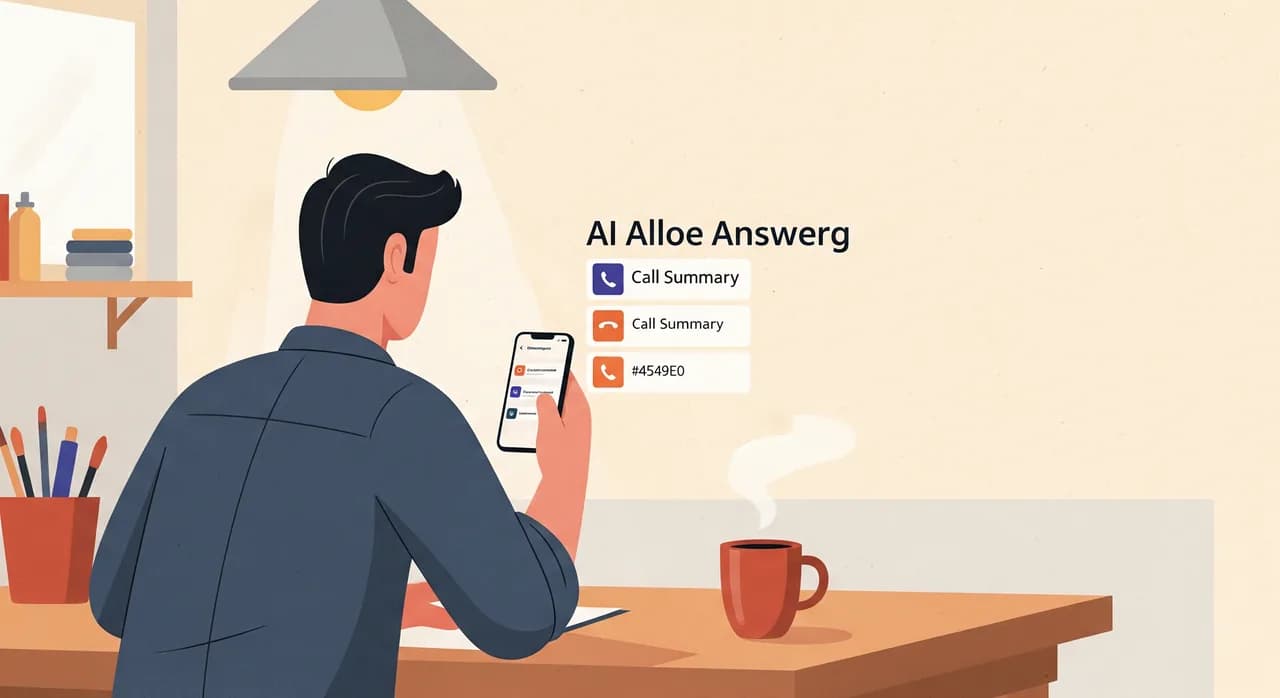
Az eszközök nem követnek utána semminek. Az emberek igen – pontosabban a szokások. Íme egy rutin, amely nagyjából öt percet vesz igénybe, és megakadályozza, hogy az éjszakai hívásokból elszalasztott lehetőség legyen. Azért működik, mert unalmas, ismételhető, és elég rövid ahhoz, hogy tényleg kitarts mellette.
- 1Nyisd meg egyszer az éjszakai összefoglalókat, mindjárt reggelKávéval a kezedben, mielőtt elnyel a nap, nyisd meg azt a mappát vagy levélszálat, ahová a hívásösszefoglalók érkeznek. Az összeset egyszerre. Ez az egyetlen „belépés” a folyamatban, és a postaládádban csinálod, tehát ingyen van.
- 2Szűrd át egy menetben: most, ma, később, készOlvasd el minden összefoglaló teendősorát, és sorold be négy kupacba. A „most” a csőtörés és a vásárlásra kész hívó. A „ma” az árajánlatkérés és az időpont-áttétel. A „később” a bizonytalan érdeklődés, amelyet a héten érdemes megpiszkálni. A „kész” minden, amit az asszisztens már elintézett – egy megerősített foglalás nem igényel tőled semmit. Még ne cselekedj. Csak rendezz.
- 3A „most” kupacot azonnal ürítsd kiA sürgőseket hívd vissza, mielőtt bármi máshoz hozzáérnél. Ezeknél a legrövidebb a gyújtózsinór. Fejenként két perc, még a nap kezdete előtt – ezen múlik, hogy megnyered vagy elveszíted őket.
- 4A „ma” kupacot fogd egyetlen tömbbeNe szórd szét a visszahívásokat az egész napra – a felét elfelejted. Válassz egy idősávot, és egy menetben telefonálj vagy írj mindenkinek, az összefoglalóval a szemed előtt, hogy már a hívás elején tudd a címet, a munkát és a kért időpontot. A felkészült visszahívás rövidebb, és jobban célba talál.
- 5A „később” kerüljön oda, ahol látni fogodJelöld meg csillaggal vagy zászlóval a langyos érdeklődőket, hogy pár nap múlva újra felbukkanjanak. Egy barátságos utánkövetés egy bizonytalan érdeklődésnél gyakrabban hoz üzletet, mint gondolnád – mert a versenytársaid többsége soha nem küld ilyet.
- 6Mindent jelölj késznekAhogy elintézed, archiváld vagy pipáld ki az összefoglalókat. A jó rész: öt perc múlva az éjszakai kupac üres, és semmi nem rohad csendben egy üzenetrögzítőben. Az üres sor az egész lényege.
Ennyi. Nem kell projektmenedzsment-szoftver, nem kell CRM-migráció, nem kell új önfegyelmet feltalálni. Az összefoglalók jegyzetelnek, a rutin dönt, a postaládád tartja a sort. Azért működik, mert minden lépés elég kicsi ahhoz, hogy túléljen egy pörgős hetet – és csak az a rendszer ér valamit, amely túlél egy pörgős hetet.
A feljegyzéshalomtól a valódi rendszerig
A reggeli rutin a napi működést kezeli. Az összefoglalók viszont adnak valamit, ami korábban sosem volt: minden hívásról írásos nyomot, amelyből – ha hagyod – csendben vezetői eszköz lesz.
Hetente egyszer fusd át a naplót – nem azért, hogy cselekedj, hanem azért, hogy észrevegyél dolgokat. Ezen a héten hárman kérdezték, vállalsz-e hétvégi sürgősségi munkát; lehet, hogy ennek a válasznak a weboldaladon a helye, vagy az asszisztens profiljában, hogy visszahívás nélkül elintéződjön. A nem fogadott hívások fele ugyanabban a kétórás ebédidőben fut be; ez beosztási tanulság, nem rejtély. Folyton olyan szolgáltatást kérnek, amelyet már nem vállalsz; ideje frissíteni a köszöntőt. Az összefoglalóktól a telefonod fekete dobozból információforrássá válik arról, hogy az ügyfeleid valójában mit akarnak.
Itt térül meg egy apró ráigazítás is. Ha a hívásjegyzeteidből következetesen az jön ki, hogy ugyanazt a három kérdést teszik fel, vezesd vissza ezeket a válaszokat az asszisztens beállításaiba. A következő hívó már a helyszínen megkapja a választ: nem kell hozzá összefoglaló, nem kell visszahívás. A jó összefoglaló nemcsak az utánkövetésben segít – idővel abban is, hogy egyre kevesebb utánkövetésre legyen szükséged.
“Az összefoglalóktól a telefonod fekete dobozból információforrássá válik arról, hogy az ügyfeleid valójában mit akarnak.”
Hol jön el ennek őszintén a határa
Semmilyen összefoglaló rendszer nem helyettesíti a józan ítéletet, és érdemes tisztán látni a határait, hogy ne érjenek meglepetések.
Az összefoglaló egy beszélgetés tömörítése, a tömörítés pedig veszteséges. Ha a hívó bizonytalanul fogalmazott, az összefoglaló is bizonytalan lesz – csak annyira lehet világos, amennyire az elhangzottak azok. Pontosan ezért van alatta a teljes átirat: a valóban fontos vagy kétértelmű hívásoknál olvasd el. A legfontosabbaknál ne tekintsd az összefoglalót szentírásnak.
Az utánkövetést sem végzi el helyetted. Az asszisztens fel tud venni egy üzenetet, és meg tudja mondani a hívónak, hogy visszahívod; azt viszont nem tudja megtenni, hogy a te hangoddal és az árról alkotott ítéleteddel visszahívja. A teendősor megmondja, mi a dolgod – megcsinálni neked kell. Bármelyik eszköz, amely azt ígéri, hogy alvás közben „mindent elintéz”, többet ígér a valóságnál. A reális, őszinte ígéret kisebb és hasznosabb: soha többé nem fogsz azon töprengeni, miről szólt egy hívás, és mindig tudni fogod, mi a következő lépés.
És egy rossz utánkövetési szokást sem javít meg magától. Ha egy hétig olvasatlanul hagyod tornyosulni az összefoglalókat, azok csak a korábbi káosz rendezettebb változatai. A reggeli öt perc az a rész, amely nem opcionális. Az eszköz lehetővé teszi ezt az öt percet; azt nem tudja elintézni, hogy rá is szánd.
Így állítsd be, hogy az összefoglalók tényleg megérkezzenek
Az egész folyamat azon áll vagy bukik, hogy az összefoglalók jók legyenek, és oda érkezzenek, ahová nézel. A Vunoonnál mindkettő ugyanabból a rövid beállításból jön – és érdemes átgondoltan elvégezni, mert az itt befektetett öt perc teszi lehetővé az ötperces reggeli rutint a következő egy évben.
- 1Írd le jól a vállalkozásodatA varázsló rákérdez a szolgáltatásaidra, a nyitvatartásodra és arra, amit az emberek telefonon kérdezni szoktak. Minél pontosabb ez, annál élesebbek az összefoglalók: az az asszisztens, amelyik tudja, hogy hétvégén nem vállalsz munkát, ezt bele is írja a feljegyzésbe, ahelyett hogy rád hagyná a tisztázást.
- 2Irányítsd az összefoglalókat a postaládádbaAzt az e-mail-címet add meg, amelyen tényleg olvasod az üzeneteket a telefonodon. Itt fog élni az utánkövetési sorod, tehát az a cím legyen, amelyet két munka között megnézel, nem az, amelyiket figyelmen kívül hagyod.
- 3Teszteld úgy, hogy beszélsz veleMielőtt egyetlen valódi hívást is átirányítanál, hívd fel te magad az asszisztenst. Játszd el a kellemetlen ügyfelet. Aztán olvasd el az összefoglalót, amelyet küld: világos a teendősor? Stimmelnek a részletek? Addig igazíts a beállításokon, amíg olyan feljegyzést nem kapsz, amely alapján szívesen cselekszel.
- 4Irányítsd át a számodat, és kezdd el a szűréstHa az összefoglalók úgy szólnak, ahogy szeretnéd, irányítsd át a vonaladat. Holnap reggeltől az éjszakai hívások rendezett feljegyzéskupacként érkeznek, az ötperces rutinodnak pedig lesz min dolgoznia.
Van ingyenes próbaidőszak, így az egész kört végigjátszhatod – beállítás, teszt, egy valódi összefoglaló elolvasása –, mielőtt bármi mellett elköteleznéd magad. A legjobb teszt szándékosan unalmas: irányítsd át a számodat egy hétre, csináld végig a reggeli rutint, és számold meg, hány olyan visszahívást intéztél el, amely egyébként elmaradt volna.
Mit tartalmaz valójában egy AI hívásösszefoglaló?
Az összefoglaló mellett teljes átiratot is kapok?
Hová érkeznek a hívásösszefoglalók?
Hogyan érjem el, hogy tényleg foglalkozzam is az összefoglalókkal?
Meg tudja tenni helyettem az asszisztens a visszahívást?
Az utánkövetésen túl másban is segítenek az összefoglalók?
Legyen minden hívásból világos következő lépés
Állítsd be a Vunoont percek alatt, teszteld úgy, hogy beszélsz vele, és nézd meg, milyen összefoglalókat küld minden hívás után. Ingyenes próbaidőszak – irányítsd át a számodat egy hétre, és számold meg, hány visszahívás maradt volna el nélküle.
Indítsd el az ingyenes próbaidőszakot
A Vunoon olyan AI telefonasszisztenst fejleszt, amely a nap 24 órájában fogadja vállalkozásod hívásait — időpontot foglal, megválaszolja a gyakori kérdéseket, és minden beszélgetésről összefoglalót küld neked.